


Suspecting a broken hard drive is a sinking feeling. The disk may have started clicking. The device may not show up on your PC or Mac. The hard drive may have been dropped to the ground or submerged in water. Or it may have broken without warning.
For best results, stop using the hard drive. Power down the device immediately. Each spin of the platters on a failing hard disk drive (HDD) risks further damage. Every write cycle on a dying solid-state drive (SSD) does the same.
With quick action, a broken hard drive or SSD rarely leads to permanent data loss. However, recovering data from a broken hard drive can be full of obstacles. This guide walks you through every scenario and explains what to do next.
What To Know:
- Diagnosing a broken hard drive is a critical step in retrieving data from the device.
- Knowing what to do if your hard drive breaks lowers the risk of permanent data loss.
- Avoiding DIY recovery efforts improves the odds of a successful outcome.
- You can always request help from a data recovery expert for personalized support.
Is Your Hard Drive Broken?
There are several symptoms that indicate hard drive failure. Ignoring these warning signs often makes fixing the broken hard drive even more complex.
If you experience any of the following symptoms, then your hard drive might be in danger of failing.
Hard Drive Clicking or Beeping
Hard drive clicking happens when the read/write heads that record and retrieve data encounter mechanical failure or physical damage. Known as the click of death, the repetitive, sharp sound is among the most serious signs of a broken hard drive. The video above explains why the clock is ticking on a clicking hard drive.
Hard drive beeping is rarer than clicking or grinding, but still occurs. It often signals that the spindle motor cannot rotate the disk’s platters. Sometimes, heads stick to the platter surface, and the motor fails to generate enough force to overcome the resistance. On occasion, worn bearings can lead to spindle motor failure and beeping sounds. Damaged components on the printed circuit board (PCB) responsible for supplying power are also possible.
You will need a hard drive recovery expert to address the physical damage to retrieve data from the broken device.
Hard Drive Not Showing Up
An external hard drive not showing up on Windows or Mac is one of the most common disk failures. Faulty cables and loose connections could prevent communication between the PC and HDD. Outdated drivers, a corrupted file system, and a missing drive letter are likely causes of persistent detection issues.
Defective firmware could potentially explain why the system does not recognize the hard drive. Without firmware, the hard drive will not even appear in the BIOS or UEFI settings. In some cases, the computer might not boot at all.
Despite these issues, user data on the disk is probably not gone. You just cannot access it using a standard approach. Forensic-grade software can provide low-level access to data stored on the hard drive’s platters.
Hard Drive Running Slow
Over time, a hard drive can slow to a crawl. Files or programs that used to open almost instantly might now take a few minutes. While a virus and high usage are possible causes, bad sectors can also spread across the magnetic platters. Once drives are unable to reliably hold or read data, you can encounter a range of issues. Those issues include the Blue Screen of Death (BSOD) and a computer that keeps freezing.
A slowing drive is often a progressive problem. The longer you use the device, the more sectors degrade, increasing the risk of permanent data loss.
Files Missing, Corrupted, or Inaccessible
Missing files, empty folders, scrambled documents, and access errors are classic signs of logical damage. It could occur due to a sudden loss of power, improper ejection, failed update, or malware infection.
In most cases, files still reside on the storage medium, but the device cannot locate them.
Common Causes of Broken Hard Drives
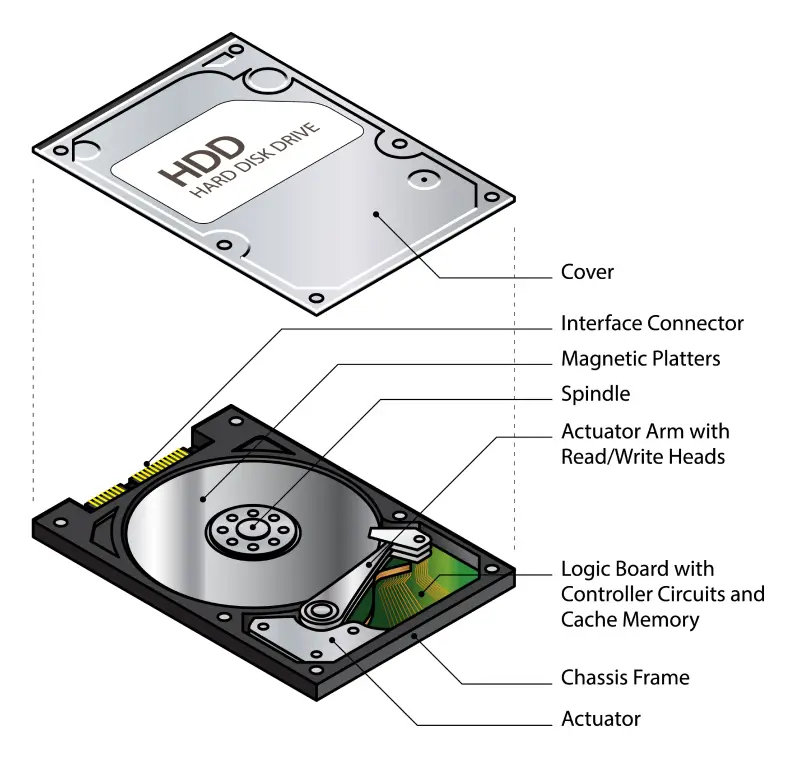
Hard drives fail for numerous reasons. The failure type ultimately determines your options, odds of success, and potential costs.
These are the most common causes of broken hard drives:
- Read/write head crash
- Minor or severe platter damage
- Defective printed circuit board (PCB)
- Firmware damage
- Seized spindle motor
In addition, NAND flash degradation and read-only lockout are notable SSD failures.
Here is a breakdown of each failure:
Diagnosing the device is critical. Different types of data loss demand specialized tools and techniques. The hardware remains intact with logical failures, so data recovery software can help in some cases. However, physical failures involve damage that requires complex repairs to recover data from the broken disk.
Unfortunately, failure to properly diagnose the device is one of the most common and significant mistakes people can make.
What To Do If Your Hard Drive Breaks
The steps you take after a hard drive failure directly impact data recovery outcomes.
These expert tips apply across all failure types:
- Shut the hard drive down immediately. The less the disk spins, the better your chances of recovering data later. It reduces the risk of further damage and overwriting.
- Identify the problem if possible. Clicking or grinding indicates mechanical failure. A silent drive could have electrical issues or physical defects. A sluggish HDD might be a logical error.
- Do not try DIY data recovery on hard drives with physical failures. Contact data recovery services if you need files stored on the device. They must be repaired by a skilled engineer in a certified cleanroom.
- Assess the value of the lost data and determine if software tools are appropriate. Data recovery software can work in some instances, but it could also jeopardize important files if you are not careful.
- Send the hard drive to a professional. We offer free diagnostics and quotes to give you a clear picture before you commit. Our team will help with packaging and shipping if needed.
Of course, the specific situation matters. Repairing a broken external hard drive demands a different approach than fixing a corrupted file system.
See our guidance below for the exact issue you are facing.
Dropped Hard Drives
Dropping a hard drive is one of the most common causes of data loss. These sudden impacts can damage the sensitive components inside a hard drive. If the read/write heads crashed into the disk’s surface, then the hard drive has platter damage.
Do not power on the drive after an accidental drop. A single spin-up could score more of the magnetic platters and destroy sectors of data. Place the HDD in a padded, anti-static bag to prevent further damage and speak with an expert.
Success rates are much higher when the hard drive remains powered off.
Water-Damaged Hard Drive
Water damage sounds catastrophic. However, specialists can often salvage data from a hard drive that was submerged in water.
Disconnect the disk promptly if you spilled water on an external device. Do not try to dry the drive out with a heat source or bag of rice. These methods cause corrosion and introduce other contaminants to the storage medium.
Seal the hard drive in an airtight bag. Send the water-damaged HDD to a well-equipped lab as soon as possible if data recovery is a priority.
Editor’s Note: A hard drive exposed to saltwater is a more urgent situation than freshwater. Seawater can corrode electrical and mechanical components much more quickly. Place a hard drive with saltwater damage in a slightly damp bag. Letting seawater evaporate leaves behind mineral deposits.
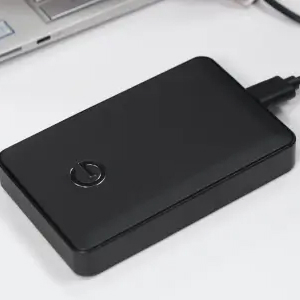
Broken External Hard Drive
External hard disks suffer more abuse than other storage devices. They are dropped off desks, transported between locations, and unplugged from PCs mid-write.
You can test a different cable and USB port to rule out connection issues. Trying the external drive on another computer could eliminate incorrect settings or a software conflict.
Be cautious when troubleshooting a portable hard drive. Strange sounds and persistent detection problems are signs of a more serious problem. Physical damage never improves with time. Seek assistance right away if your external hard drive contains important data.
Broken Laptop Hard Drive
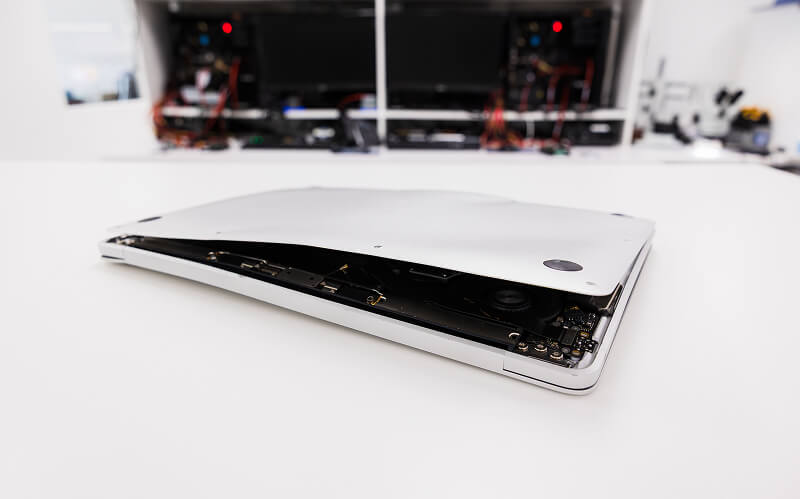
Laptop drives are vulnerable due to their compact, portable nature. Like external HDDs, laptops get carried, dropped, jostled, and powered down during operations. Plus, it is harder to isolate laptop failures. For example, the memory or motherboard might be the actual source of the problem.
In addition, most modern laptops have M.2 NVMe SSDs that are soldered directly to the motherboard. As a result, people cannot repair their drive. It likely needs chip-off recovery techniques to recover data.
Repeated boot attempts could wear the drive down.
Corrupted Hard Drive
A corrupted hard drive refers to a disk with a damaged file system. The stored data still resides on the platters, but the structures that organize it are invalid or missing.
Common symptoms include disappearing files or folders, scrambled data, and a RAW or unformatted status.
Do not format the drive if prompted by the system or save new data to the device. Both actions can overwrite corrupted files.
Sometimes, powerful software can resolve minor cases of file corruption. More severe cases require an engineer versed in manual file repair.
Editor’s Note: CHKDSK on Windows PCs and First Aid on Macs are frequently mentioned as built-in solutions for corruption. Their effectiveness and scope are often overstated. CHKDSK and First Aid can resolve minor cases of file system corruption. However, they cannot fix physical damage, specific corrupted files, or widespread logical errors. In fact, running these tools on a failing drive could cause permanent data loss. Exercise caution before using these tools.
What NOT To Do With Broken Hard Drives
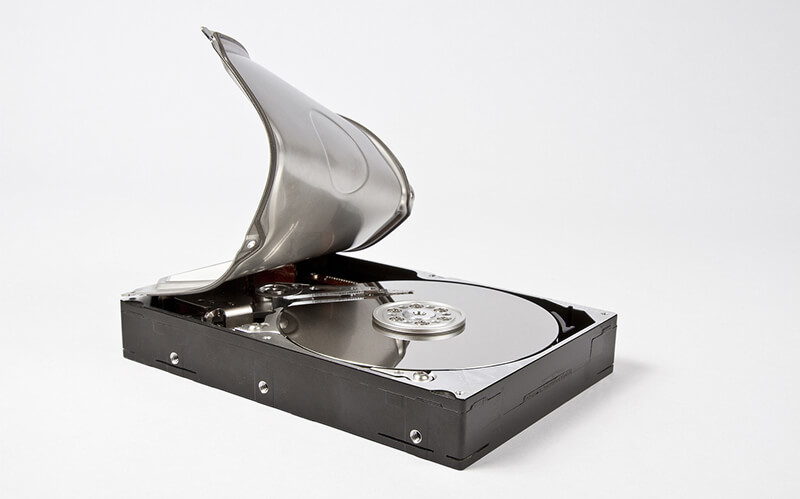
Misguided DIY attempts are responsible for many cases of permanent data loss. While they may sound logical, they will not work. All of them will inflict further damage on the broken hard drive.
Here is a short list of the worst DIY recovery advice:
- Do not open the hard drive at home. A small particle can lead to a head crash when the disk spins up. A very clean area does not qualify as a cleanroom.
- Do not run software on a hard drive with broken components or scratched platters. It cannot repair physical damage.
- Do not put the hard drive in the freezer. HDDs now are far too compact and complex for cooler temperatures to unlock the disk.
- Do not put the hard drive in a bag of rice or use a hair dryer on it. A slightly damp hard drive is safer than a severely damaged one.
- Do not try to swap the PCB with one from a matching model. Modern hard drives have adaptive data that is specific to each device. Mismatched parameters could brick both drives.
- Do not continue using the hard drive to see what happens. Each moment could further degrade the platters or overwrite your data.
When DIY Data Recovery Makes Things Worse
Opening a hard drive’s casing exposes platters to direct contact and harmful contaminants that could damage the device beyond repair. Running a full scan on a failing disk forces the controller and mechanical components to perform millions of operations. Both of these actions can push the drive past the point of no return. Even for a professional.
A simple rule: If there might be physical damage or complex logical failure, and the data is essential, then don’t attempt DIY recovery.
Learn more about choosing a provider for certified hard drive data recovery.
When Data Recovery Software Can Work
In the right situation, data recovery software is a convenient, useful tool. In the wrong case, it ruins any chance of recovery.
This table breaks down when data recovery software can work on a hard drive:
In most cases, an experienced engineer must recover data from a broken hard drive in advanced labs.
Editor’s Note: Install software on a separate storage device to avoid overwriting data. Save all recovered files to a new drive for the same reason.
Are Dead SSDs Different Than Broken HDDs?
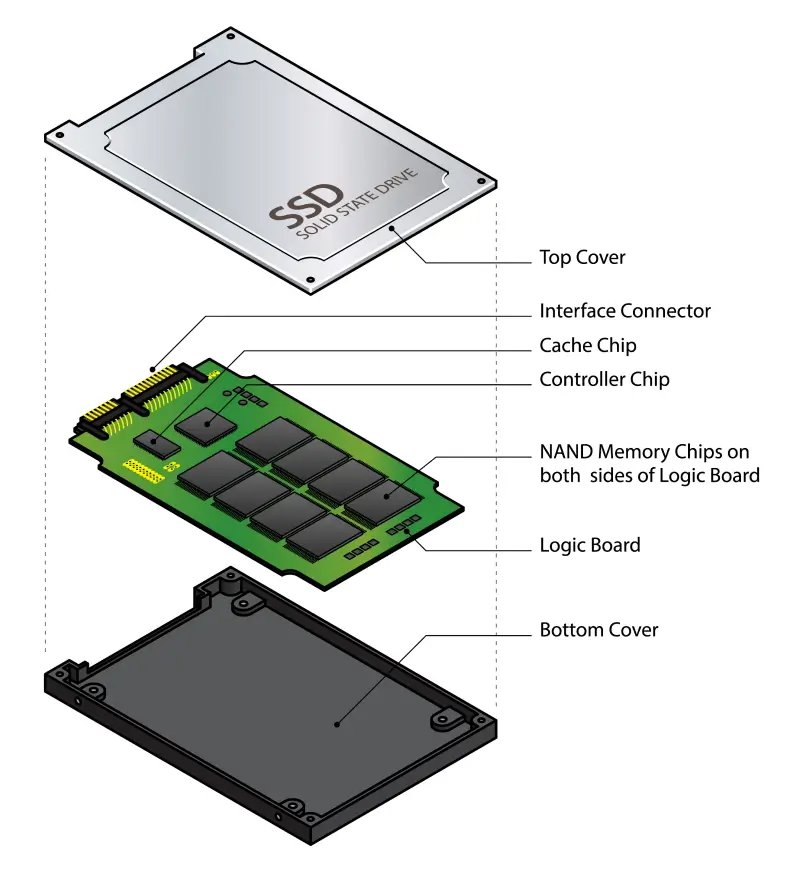
Yes, solid-state drives are quite different from many other types of hard drives.
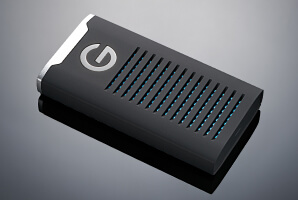
Unlike hard drives, SSDs have no moving parts. They store data as electrical charges in NAND flash memory cells. As a result, their failure types differ from hard drives. For instance, SSDs are more resistant to physical damage than disks. However, the chips and firmware that manage data are far more complex for SSDs. Therefore, they are susceptible to corruption and logical errors.
Our SSD recovery experts can retrieve data from a dead drive regardless of the hardware failure.
How Professional Hard Drive Repair Works
Secure Data Recovery provides hard drive repair services to restore files on broken HDDs or SSDs. We offer desktop, laptop, and external hard drive recovery for people who have lost important data due to a failed device.
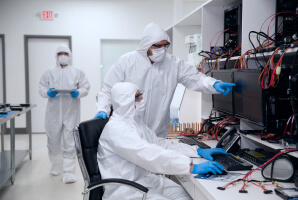
Our streamlined process features free diagnostics inside a Class 10 ISO 4 cleanroom. Afterward, we present a detailed report with a free quote. If approved, we recover data from the broken hard drive. Our standard service is backed by a No Data, No Recovery Fee guarantee. You get your data back, or pay nothing.
Call 800-388-1266 or fill out our form to get a free quote and speak with us about broken hard drive recovery.
Frequently Asked Questions
Can a broken hard drive be fixed?
Our experts can fix a broken hard drive and recover data from its platters. We maintain a 96% success rate across all devices and failure types. This success rate is a testament to decades of experience with the toughest cases. Responding quickly to hard drive failure could help prevent further damage and salvage data on the disk.
Is my data gone if my hard drive is broken?
It is unlikely your files are gone. If the magnetic platters are still intact, then the data most likely resides on the storage medium. The hard drive simply cannot read data through normal means.
The most critical step is to stop using the hard drive if you suspect it is failing.
How do you retrieve data from a broken hard drive?
Our engineers use specialized tools and techniques to address physical damage, mechanical failure, or electrical issues. The best method depends on whether the cause of data loss is logical or physical. Our technicians can diagnose the problem, address hardware failures, or bypass broken components.
We will scan the drive to create a bit-for-bit copy, preserving the original data and enabling multiple attempts. Once finished, we deliver the recovered data on an encrypted external hard drive or secure file server.
How long does hard drive recovery take?
The exact timing varies. Notable factors include the failure type, the extent of the damage, and the volume of stored data. Our team maintains a large collection of donor drives for many models to minimize recovery downtime.
We also offer a range of flexible service options, including 24/7 emergency data recovery. That way, you can find a solution that fits your budget and schedule.
How much does hard drive data recovery cost?
We are mindful of data recovery costs for our customers. In general, logical failures cost less than physically damaged hard drives. For that reason, we provide a fixed, free quote before you approve the work. There are no surprises.
Plus, under our No Data, No Recovery Fee guarantee, you pay nothing if we cannot restore your files.

Yevgeniy Reznik

Yevgeniy Reznik is Laboratory Operations Manager at Secure Data Recovery Services in Cleveland, Ohio, and has more than a decade of experience as a data recovery engineer. He graduated from Cleveland State University with a degree in computer science and spent 15 years as an IT entrepreneur and small business owner before joining the company.





.png)
