


Hard drive failure is not always sudden. Sometimes, failure presents as a computer with slowing boot times until it does not start at all.
Recognizing the early signs of hard drive failure is crucial. Detecting a failing hard drive lets you back up files before they are permanently lost.
Below, our experts outline the failure symptoms for both hard disk drives (HDDs) and solid-state drives (SSDs). With the help of this guide, you can react quickly and preserve data on your laptop, desktop, or external drive.
Classic Symptoms of Hard Drive Failure:
Hard Disk Drive Failure vs. SSD Failure
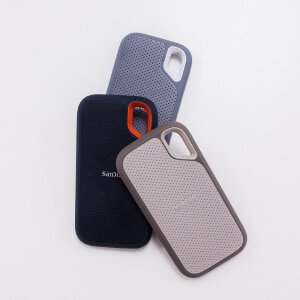
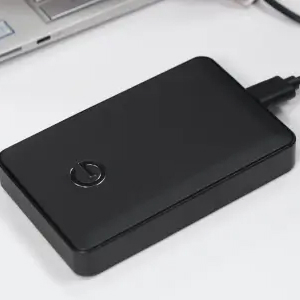
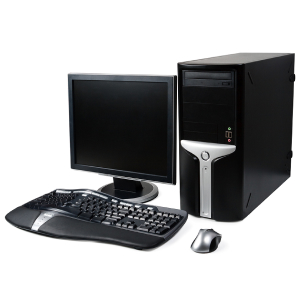
There are different types of hard drives.
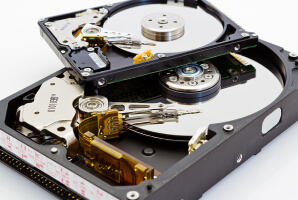
The stacks of platters and moving parts inside a hard drive allow people to store large amounts of data, but they are sensitive. Therefore, HDDs frequently fail due to incidents that inflict physical damage, such as accidental drops or power surges. Mechanical failure and wear are also common.
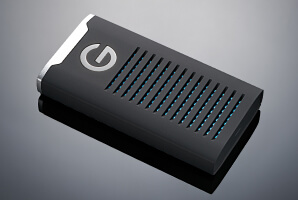
In contrast, SSDs store data by holding electrical charges in a grid of NAND flash memory cells. A lack of moving parts makes SSDs more durable than hard drives against physical impacts. However, SSDs have more complex electronics and firmware, which leads to a separate set of failures.
In general, hard drive failures are more predictable. SSD failures tend to happen without much warning.
Signs of Hard Drive Failure
The following signs of hard drive failure require immediate attention:
Strange sounds are one of the most reliable signals of hard drive failure. For example, repetitive hard drive clicking is known as the “Click of Death” to reflect the seriousness of the issue. It occurs when the read/write heads responsible for recording and retrieving data fail to locate sectors on the platter surface. As a result, they repeatedly reset their position, which creates the sharp ticking sound. A head crash is the main source of clicking or grinding noises in hard drives. The video above illustrates how head crashes happen.
Beeping is another symptom of hard drive failure. A hard drive beeping typically means the device cannot spin the platters on startup. The issue could stem from a stuck head or a seized spindle motor (the part that rotates the platters). A damaged printed circuit board (PCB), which directs power and signals throughout the drive, can cause beeping as well.
Pro Tip: These sounds often indicate severe physical damage that requires hard drive repair. Shut down the disk as soon as possible to prevent further damage and consult certified data recovery services.
A sudden, unexplained drop in performance is a precursor to many hard drive issues. If the computer begins to take several minutes to boot, load apps, or transfer files, then the disk might be failing.
Hard drive performance degrades because the device must make multiple attempts to access data. This gradual process can cause HDDs to slow to a crawl.
You can check the disk’s usage in Task Manager (Windows) or Activity Monitor (Macs) to rule out other hardware failures. Random access memory (RAM) and the central processing unit (CPU) going bad could also impact the computer’s performance.
Pro Tip: A healthy hard drive should rarely spike over 50% during normal operation. High usage over a sustained period of time is a red flag.
If your computer keeps freezing or displaying the Blue Screen of Death (BSOD), it could be a failing hard drive. While these events may have additional triggers, such as outdated drivers or software conflicts, frequent freezes during data access or file transfers point to HDD failure.
When heads no longer work properly, the system stalls as it waits for the delayed response. On Windows PCs, BSOD stop codes like CRITICAL_PROCESS_DIED or DISK_BOOT_FAILURE are worrisome. Likewise, a spinning beachball on macOS implies an overloaded system.
Pro Tip: Note when crashes occur. A pattern of crashes during intensive tasks hints at a hardware issue rather than a software one.
Encountering a file error or staring at a garbled string of characters in a document is stressful. File corruption occurs when the hard drive cannot read data stored on the magnetic platters. Widespread corruption can result in losing important files.
Persistent errors and worsening data loss should not be chalked up to a software glitch. It could be a sign of a malfunctioning hard drive.
Pro Tip: Stop using the storage device if files are missing. Each write request could overwrite data on the drive.
A hard drive that is visible one session and then vanishes the next is one of the most concerning situations. The computer might report a “No Boot Device Found” error when the system drive fails. An external hard drive not showing up on Windows in File Explorer or an external hard drive not detected on Mac in Finder can also happen.
This hard drive failure symptom could have several causes. Loose connectors, a failing controller on the PCB, or damaged firmware are possible. Simple fixes, such as checking the cable connection or BIOS, are worth trying. However, if detection issues remain, then the HDD is most likely the problem.
Pro Tip: Data recovery software will not repair a hard drive that does not appear in the BIOS.
Bad sectors are small regions on the platter surface that cannot reliably store data. All disks develop bad sectors over their lifetime. Modern hard drives remap sectors by default to avoid writing data to an unstable zone.
Even minor platter damage can force bad sectors to accumulate faster. Sometimes, the extent of the damage overwhelms the drive’s remapping process. The device nears total failure as its reallocated sector count rises. The above video demonstrates the severity and urgency of platter damage.
Pro Tip: You can monitor hard drive health with software such as Western Digital Kitfox, Seagate SeaTools, and the Toshiba Storage Diagnostic Tool. Look closely at the drive’s reallocated and uncorrectable sector count after running the test. A sudden increase in these attributes is a warning sign.
Hard drives are sensitive storage devices. Prolonged exposure to excessive heat will degrade internal components and compromise the drive’s function. Bearings can lose their oil, read/write heads could expand, and electronics or platters may warp. Avoid running the disk in extreme temperatures.
Pro Tip: Inspect vents for dust buildup and consider adding a fan to improve airflow.
Bonus: Signs of SSD Failure
As mentioned, SSDs have different failures than HDDs. Their warning signs are more subtle than clicking sounds and escalate to failure with less notice. This fact makes knowing how to spot SSD failure even more vital.
There are two distinctive symptoms of a failing SSD.
First, many SSDs have a failsafe to switch to read-only mode when they detect a fatal issue. This design allows users to access their files, but the system will refuse to save new data. Be proactive with failed downloads and error messages about write-protected media. The SSD could suffer complete failure shortly.
Secondly, a dramatic decrease in write speeds is another sign of SSD failure. File transfers and tasks that once took seconds but now take minutes can suggest the SSD’s cells are severely worn. In this scenario, read speeds remain fairly stable, but the device is still at risk of failure.
It is worth mentioning that file system errors are different with an SSD. Unlike with HDDs, recurring errors are among the first visible symptoms of a dying SSD. As a result, these issues should be treated as urgent, given the possibility of controller failure.
How To Diagnose Hard Drive Failure
Suspecting a failing hard drive is one thing. Confirming hard drive failure is a little more complicated.
Guides often mention CHKDSK (Windows) or First Aid (Mac) as diagnostic tools and potential solutions. However, these utilities have major shortcomings. They cannot address hard drive failure caused by physical damage or extensive file corruption. Plus, running CHKDSK or First Aid on a failing drive increases the risk of permanent data loss.
Using manufacturer tools or third-party software to assess the hard drive could also quickly worsen its condition.
Proceed with caution when troubleshooting if your device stores essential data.
Pro Tip: If one of the tests returns a Caution status, then begin backing up files and preparing for a replacement. More than likely, the hard drive has already crossed a threshold.
What To Do If Your Hard Drive Is Failing

Here is a checklist for handling hard drive failure:
- Stop using the hard drive immediately if you hear abnormal noises. Continued use could be catastrophic. Shut down the machine and speak with a specialist.
- Back up data if the disk is still functional. Prioritize files that do not have copies stored elsewhere. Stay mindful that hardware failure could occur at any time.
- Assess the value of lost data. Data recovery software may resolve straightforward logical issues. However, in some cases, it could make the situation even worse.
- Call a professional if the files really matter. A skilled data recovery engineer will always deliver the best outcome. They have the advanced tools and techniques for SSD and hard drive data recovery.
- Replace the hard drive. The underlying problem will not reverse with time. Consider future storage needs when choosing a replacement drive.
Pro Tip: You should still destroy the hard drive regardless of its current state. Leaving recoverable data on a device is a security risk.
Recover Data From a Failed Hard Drive
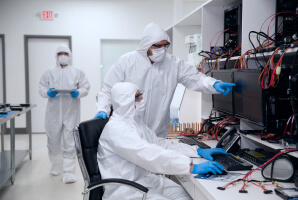
The team at Secure Data Recovery has decades of experience and expertise across all storage devices and failure types. We offer laptop, desktop, and external hard drive data recovery when sudden data loss strikes.
Our technicians provide free diagnostics and zero-risk quotes as part of our standard service. Cases include a No Data, No Recovery Fee guarantee. You get your data back, or pay nothing.
Call us at 800-388-1266 or fill out a form to get a free quote to discuss data recovery options for hard drive failure.
Frequently Asked Questions
How long does a hard drive last?
In 2023, we asked the question: How long do hard drives last? The answer: It depends. On average, hard drives in the roughly 2,000-disk sample lasted 1,051 days. That figure equates to about two years and ten months of use. However, each hard drive has a wide range of possible outcomes. Therefore, it is vital to monitor the disk’s performance and recognize early signs of hard drive failure.
Can a failing hard drive be fixed?
Engineers can often repair a broken hard drive to retrieve data from the platters. However, a failed HDD cannot be restored to its previous condition for the long term. You will need to replace the failing hard drive with a new storage device.
What does a dying hard drive sound like?
Hard drive clicking, grinding, and beeping are textbook sounds of a dying disk. Power down the device if you hear any of these noises. Ignoring odd sounds could lead to severe physical damage and permanent data loss.
How do I know if my hard drive is causing crashes?
A pattern is the clearest indicator. Computer crashes while booting up, installing programs, or loading large files is likely a disk issue. Running a SMART test or looking through system logs can help diagnose the problem. Checking disk usage in Task Manager on PCs or Activity Monitor on Macs could also give clues about the failure.
Can I recover data from a dead hard drive?
Hard drive data recovery is complex. Data recovery software can sometimes restore corrupted or deleted files, but it cannot address physical damage or widespread logical errors. However, an expert with cutting-edge hardware and software systems can often retrieve data from platters safely.

Timothy Burlee

Timothy Burlee is a content writer for Secure Data Recovery Services. He specializes in various topics in the data industry, including data recovery technology, storage devices, and digital forensics. Throughout his career, he has covered complex concepts and provided accessible solutions for users. Before joining Secure Data, he worked as a freelance technical writer.





.png)
