


The printed circuit board (PCB) controls every task that a hard drive performs to store data, from communicating with the PC to spinning platters.
When a PCB is damaged, the hard disk drive (HDD) may fail to receive or supply power. The good news is that it does not mean your data is gone. In most cases, your files remain intact, but the drive cannot access them.
A skilled engineer can typically recover data from a hard drive with PCB damage by repairing components on the board.
What To Know:
What Does a Hard Drive PCB Do?
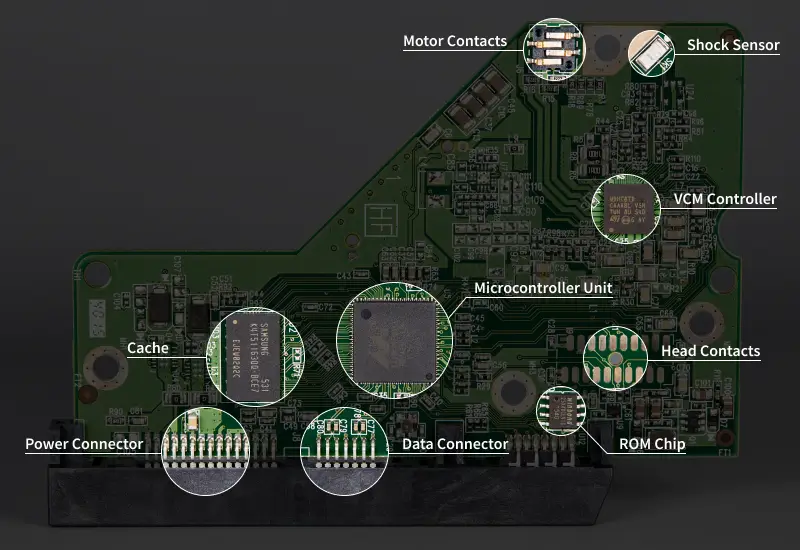
A hard drive's printed circuit board (PCB) is an insulating board that holds and connects a collection of integrated circuits and other electronics.
The PCB is mounted to the hard drive's enclosure. All of its components support the data storage process. The microcontroller unit (MCU) executes all read and write operations and regulates power throughout the disk. A read-only memory (ROM) chip contains board-specific firmware. The voice coil motor (VCM) controller directs an electric current to the spindle motor to move the actuator arm.
PCBs also constantly access firmware modules on the platter, such as adaptive tables, translator structures, defect lists, and SMART logs.
In essence, the PCB unifies the processing, power management, memory, and firmware functions inside a hard drive. It handles millions of instructions each second to manage data seamlessly.
PCBs can encounter damage for several reasons. Pinpointing the exact failure is a critical part of PCB repairs. It informs technicians on how to approach hard drive repair and address other possible issues.
The most common causes of PCB damage include:
Unstable Power Supply
Power surges are the leading cause of damaged PCBs in hard drives.
A voltage spike or sudden outage could overwhelm the PCB's chips and electronics, such as diodes or capacitors. Severe damage can happen in an instant. An acrid smell and visible burn marks on the board frequently accompany it. Sometimes, blown components disrupt the spindle motor and cause platter damage.
Using a high-quality power supply unit (PSU), a reliable surge protector, and an uninterruptible power supply (UPS) is advised. They help reduce the risk of an electrical failure.
Physical Impact
Dropping an external hard drive or an older laptop, or handling a desktop with a spinning disk, might damage the PCB.
Each of these events could crack components, break solder joints, or dislodge the board from the drive's chassis.
Extreme Temperature and Moisture
Electronics are sensitive to thermal conditions. PCBs exposed to extreme temperatures for a prolonged period can suffer various types of damage. Heat could break down the laminate material and cause the board's layers to separate. Bitter cold might create fractures across the board and trigger component failure.
Moisture is also a serious threat to PCBs. Liquid damage from spilling a drink or submerging the hard drive in water can corrode traces and destroy passive components. Just running an HDD in a very humid environment for several days is potentially harmful.
Degradation
PCB components degrade with extensive use. It is an inevitable part of a hard drive's life cycle. Disks with a large number of power-on hours are vulnerable to age-related failures on the board. Bulging or dried capacitors, swollen components, and thermal fatigue are common examples of PCB damage that accumulates over time.
Why You Cannot Swap Hard Drive PCBs
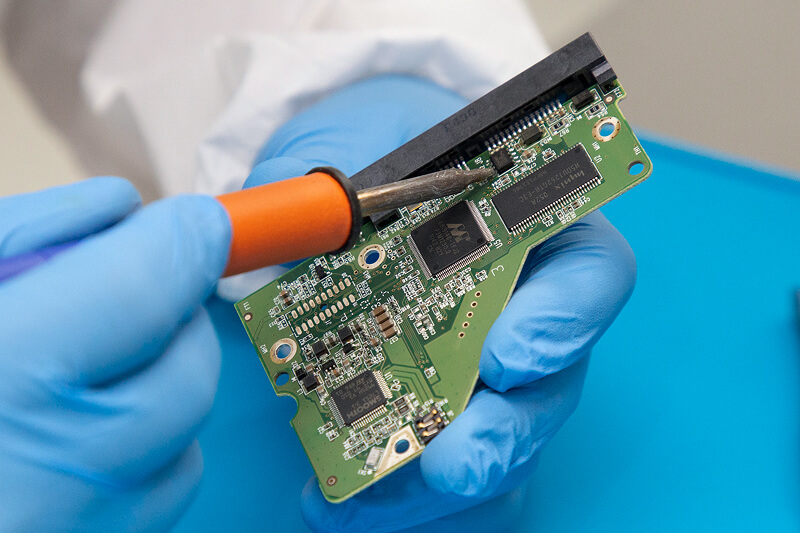
Modern hard drives are incredibly complex storage devices with dozens of carefully calibrated components.
As a result, PCB repair and replacement require engineers with experience, equipment, and skills.
What Is Adaptive Data?
Adaptive data is a set of unique parameters that optimize a specific hard drive's performance. It fine-tunes fly heights, preamp settings, timing offsets, and track densities for each HDD and lists its factory defects.
Storage companies embed these parameters during manufacturing. Part of the drive's adaptive data resides in the ROM chip on a PCB. A hidden, reserved region on the disk, known as the service area (SA), stores firmware and another portion of adaptives.
If the values are incorrect, then the device will not function properly.
Therefore, a clean swap of a damaged PCB for a working board from a different drive is not a solution. PCB transplants no longer work because the donor board has mismatched adaptive data compared to the patient.
Risk of Failed PCB Swaps
A DIY PCB swap carries a near-certain chance of total data loss.
Many newer hard drives feature full-disk encryption (FDE). Hardware encryption makes the PCB an even more integral part of the drive’s identity instead of an interchangeable controller. Attaching a foreign PCB to a failed device can rewrite adaptive data, corrupt translator modules, and alter defect tables. A single power-up could degrade some Western Digital, Seagate, and Toshiba models, greatly complicating or reducing recovery odds.
A specialist will likely need to fix the original board to retrieve data from a hard drive with PCB damage. In some cases, experts can desolder the ROM chip and seat it on a new PCB. Reading the chip's contents and rewriting them to another PCB could be an option for some drives.
However, both of these repairs are risky procedures.
PCB Repairs Require Expertise and Custom Tools
A slight mistake during the PCB repair process could result in permanent data loss.
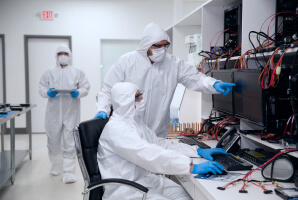
A professional data recovery service has cutting-edge hardware, forensic-grade software, and engineers with high-level soldering skills. These advanced tools and techniques are necessary to consistently achieve successful outcomes in data recovery cases involving damaged PCBs.
How We Repair Hard Drives With PCB Damage
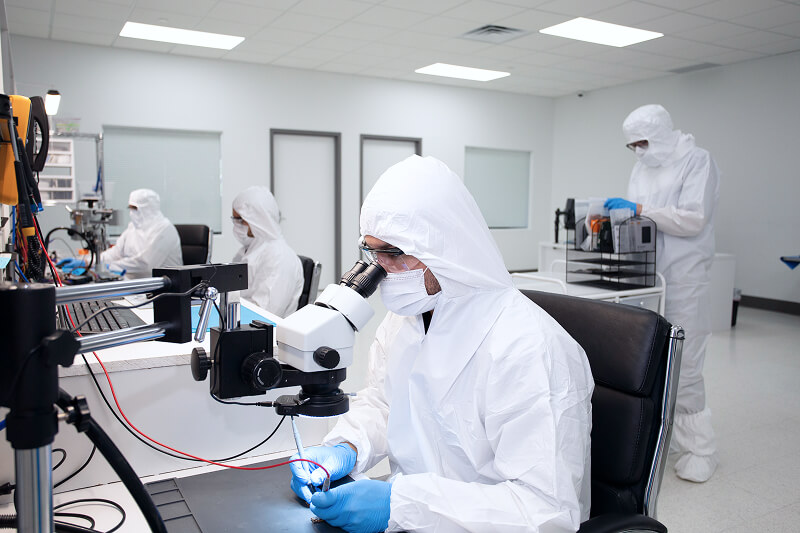
Repairing PCB damage is a crucial aspect of hard drive recovery.
The process below reflects how we repair PCB damage in broken hard drives:
Step 1: Diagnose PCB Failure
Understanding the extent of the damage is the first step. Our technicians examine the HDD's board using a powerful microscope and a digital multimeter (DMM). Then, they determine if other components (such as the read/write heads) were affected and develop a tailored plan.
Step 2: Repair Components or Transfer ROM Chip
Once diagnosed, our specialists take a methodical approach to addressing damage on the PCB. We perform component-level repair at a soldering station that can fix the delicate, microscopic circuits on a hard drive's board. If the ROM chip is intact on a damaged PCB, an engineer may transfer it to another board to maintain adaptive data.
Step 3: Test Hard Drive Repairs
Our experts use a specialized system to confirm that the PCB and firmware parameters match before turning on the disk. This step is an important stage of the meticulous process. A head crash due to an imperfect repair could scratch the platter surface.
Step 4: Create Bit-By-Bit Image
Before recovering any data, we create a bit-by-bit image of the hard drive. An image allows technicians to work with the disk clone rather than the target drive. First and foremost, an image prevents further damage to the failed HDD. But it also enables multiple attempts to capture data from bad sectors or rebuild files. On occasion, file corruption occurs alongside PCB failure.
Step 5: Recover Data From Hard Drive
After obtaining a complete image, our engineers retrieve the lost data and verify its integrity. We safely return the recovered files on an encrypted external drive or over a secure server.
Expert Repair Service for Damaged PCBs
Secure Data Recovery offers desktop and external hard drive data recovery for failed disks with PCB damage. We also provide RAID data recovery for arrays that encounter electrical failures.
Our data recovery services have recovered billions of files from hard drives since 2007. They also feature free diagnostics and a No Data, No Recovery Fee guarantee for peace of mind. Trust the service with a risk-free process and a 96% success rate to restore your important data.
Contact us at 800-388-1266 or complete our form to get a free quote and start your case today.
Frequently Asked Questions About PCB Damage
What are the signs of hard drive PCB failure?
Here are the most common signs of PCB damage:
- The disk fails to spin
- The hard drive not detected
- Burnt smell
- Visible burn marks on the PCB itself
- Hard drive beeping or clicking
All of these symptoms warrant seeking professional advice to rule out PCB failure or repair the damage before it worsens.
Can you replace the PCB in a hard drive?
Not in the conventional sense. A hard drive's PCB contains adaptive data specific to that device. Swapping a damaged PCB for a different board from the same model will not work because the adaptives do not match. Replacing the PCB would also require engineers to transfer the ROM chip to the donor board.
Is my data still intact if the hard drive's PCB is damaged?
In most cases. When a drive's electronics fail, the magnetic platters still store the data itself. Unless the hard drive runs with a compromised PCB for an extended period, the disk's contents will likely remain intact.
Can a failed PCB cause further damage to a hard drive?
Yes, if the PCB failure affects other components, such as the spindle motor. Damage to circuitry that controls the motor could lead to erratic movements and head crashes. Stop using the hard drive as soon as possible to protect the platters and prevent media damage.

Timothy Burlee

Timothy Burlee is a content writer for Secure Data Recovery Services. He specializes in various topics in the data industry, including data recovery technology, storage devices, and digital forensics. Throughout his career, he has covered complex concepts and provided accessible solutions for users. Before joining Secure Data, he worked as a freelance technical writer.





.png)
