The November 19th release of Grand Theft Auto VI keeps making headlines. The recently revealed 210 GB file size on PS5 makes GTA 6 one of the largest video games ever made.
As a digital-only release, GTA 6 will test your system’s capacity. In some cases, it could take up over half your storage space once it's available to preload on November 12th.
Yet, GTA 6 isn’t alone. Modern titles from major studios routinely surpass the 150 GB mark now. These file sizes could present a problem for internal solid-state drives (SSDs) with smaller capacities.
Our experts help you find the best gaming storage to meet growing demands in this guide.
Why the Best Gaming Storage Varies by System
There are three main reasons why the best gaming storage depends on your situation:
- Each system uses a different drive. A PS5 takes an M.2 NVMe SSD, but an Xbox Series X|S requires a licensed expansion card. PCs can use the fastest SSDs for gaming.
- Your starting amount of storage space varies. System software will utilize a portion of internal storage. As a result, consoles have even less usable storage space.
- External storage isn’t a true option on consoles. The current PlayStation and Xbox Series X|S generation cannot run games from an external USB device. You must install a new drive in the PS5’s internal slot or plug an official expansion card into the Xbox.
The table below illustrates the differences between several systems. It also suggests the ideal form factor for upgrades.
An M.2 NVMe SSD is a high-performance drive with impressive read/write speeds that provides a smooth gaming experience.
Licensed expansion cards plug into the Xbox and use specialized Velocity architecture to maintain low latency, frame rates, and load times.
Best Storage for PC Gaming
An M.2 NVMe SSD is the best storage for PC gaming because it performs better than SATA drives.
The main distinction between M.2 NVMe SSDs is their generation.
Gen 4 SSDs offer better value because they deliver nearly identical real-world speeds to Gen 5 SSDs in gaming. They are also compatible with more motherboards.
Gen 5 SSDs are much better suited for editing raw footage and massive file transfers.
Immersive graphics, uncompressed sounds, and sprawling worlds mean that modern games are large. Even a modest game library can consume storage space quickly.
For that reason, we recommend a 2 TB SSD as the default capacity. That size will still allow you to store dozens of games on your PC at the same time.
Our Picks for PC Gaming SSDs:
- Best Overall: Samsung 990 PRO or SanDisk Optimus GX PRO 850X
- Best Budget: SanDisk Optimus GX 7100
- Best Gen 5: SanDisk Optimus GX Pro 8100
Bottom line: A Gen 4 SSD like the Samsung 990 PRO or SanDisk Optimus GX PRO 850X will run modern games and save money. If you want to spend more to be future-proof, the 8 TB model of the SanDisk Optimus GX PRO 850X is an option. The SanDisk Optimus GX 7100’s DRAM-less design cuts costs without sacrificing much performance.
Best Storage for PS5

Sony built an M.2 slot in the PS5 to expand the console’s total storage capacity without compromising gameplay.
That upgrade option matters to many gamers. As mentioned, the original PS5 has only 667 GB of usable storage. A title like GTA 6 eats up almost a third of the console’s capacity.
A Gen 4 SSD delivers the max benefits for PS5 gaming at a lower price. The PS5 motherboard and processor use PCIe 4.0 lanes. Therefore, any Gen 5 SSD will communicate at much slower speeds.
The PS5 expansion slot is a tightly enclosed compartment, so an SSD with a heatsink to prevent thermal throttling is essential.
Again, we recommend 2 TB for most gamers. People with substantial libraries can choose 4 TB or 8 TB if they don’t want to delete and re-download games.
Our Picks for PS5 SSDs:
- Best Overall: Samsung 990 PRO, SanDisk Optimus GX PRO 850X, or SanDisk Optimus GX PRO 850P
- Best Budget: addlink A93
Bottom line: The 990 PRO and Optimus GX PRO 850X remain strong contenders for PS5 SSDs. The Optimus GX PRO 850P is an officially licensed version of the 850X with a PS5-optimized heatsink. The addlink A93 is a Gen 4 SSD with a heatsink that delivers solid performance at a steep discount. Since the PS5 does not support a Host Memory Buffer (HMB), the DRAM-less A93 will have slower installation and update times.
Best Storage for Xbox Series X|S
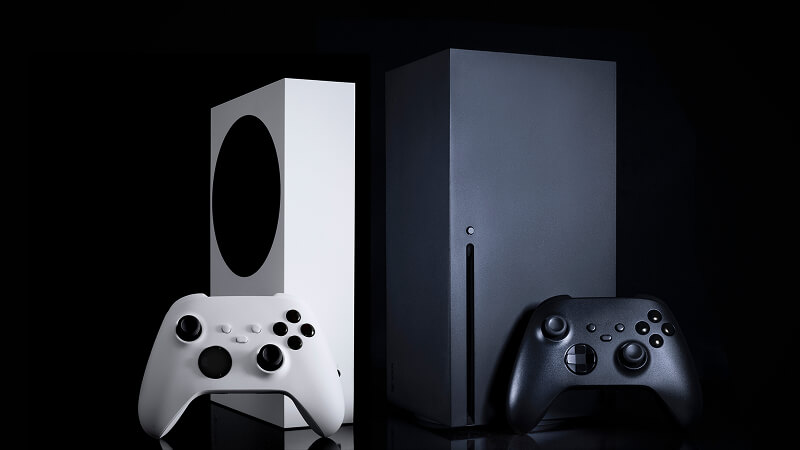
Microsoft licenses expansion cards for the Xbox Series X|S to specific storage companies.
Options include the Seagate Storage Expansion Card for Xbox Series X|S and SanDisk Optimus GX C50. Each card uses Xbox’s Velocity architecture to speed up load times and asset streaming.
These expansion cards are excellent for Xbox Series S gamers, given its 364 GB of usable storage space by default.
Unlike external hard drives, expansion cards let users seamlessly play Xbox games stored on the device.
Both products have 2 TB models. Seagate sells a 4 TB card for Xbox gamers with a large collection of titles.
Gaming Storage FAQ
How much storage space is ideal for gaming?
It depends on the size of your game library and how often you revisit titles. A 2 TB drive is the sweet spot for most gamers. People with more games or inconsistent bandwidth might choose a drive with more storage.
Is a Gen 5 SSD worth it for gaming?
Not for most people. It doesn’t offer a noticeable real-world speed improvement for the higher cost. You're often better off spending the extra money on a larger-capacity Gen 4 SSD.
Can I play games from an external hard drive on PS5 or Xbox?
No. You can use an external hard drive to store video games and avoid downloads. However, an external drive will not run games directly on a PS5 or Xbox Series X|S.
What’s the difference between Xbox expansion cards and a USB drive?
The official Xbox expansion cards can play games stored on the external device. An unlicensed USB drive can serve as secondary storage for your game library. You will still need to transfer games between the external drive and internal storage to play them.
Do you need a heatsink for an M.2 NVMe SSD in a PS5?
Yes. A Gen 4 SSD can run hot during long sessions, and the PS5’s expansion slot is a separate compartment. Overheating will trigger a performance drop, so you will need an M.2 SSD with a heatsink.
Final Thoughts
An M.2 NVMe SSD can enhance your gaming experience and performance. A reliable Gen 4 SSD, such as the Samsung 990 PRO or SanDisk Optimus GX PRO 850X, will work wonders on PC and PS5. The Seagate and SanDisk expansion cards offer the same upgrade for an Xbox Series X|S.
Having an SSD installed before GTA 6’s preload (November 12th) can ease concerns about limited storage

Timothy Burlee

Timothy Burlee is a content writer for Secure Data Recovery Services. He specializes in various topics in the data industry, including data recovery technology, storage devices, and digital forensics. Throughout his career, he has covered complex concepts and provided accessible solutions for users. Before joining Secure Data, he worked as a freelance technical writer.