How To Use CHKDSK (Windows) or First Aid (macOS) To Fix Hard Drives
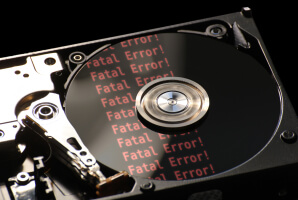
Physical damage is not the only reason that hard drives fail. Some disks encounter logical errors, such as a damaged file system or partition. These conditions occur due to power failure, software issues, improper ejection or shutdown, firmware corruption, or user error.
Windows (CHKDSK) and macOS (First Aid) have built-in tools to address hard drives with logical damage. Linux has a similar function (fsck) to check file systems and repair problems.
While CHKDSK, First Aid, and fsck can resolve minor logical issues, they cannot repair all file systems or partitions. In many cases, these tools can even cause further damage. They cannot fix a hard drive with physical damage, either. Understand all the risks before using CHKDSK, First Aid, or fsck.
Users access these tools through Command Prompt on Windows, the Disk Utility app on macOS, or the terminal on Linux. CHKDSK, First Aid, and fsck scan for inconsistencies like cross-linked files and lost clusters. These tools can fix simple errors in that regard. However, they will not repair damaged data within a file, such as corrupted headers, footers, or blocks. Also, some operating systems feature protected areas. CHKDSK, First Aid, and fsck might not have access if the issue resides there.
An expert is the safest option to recover important files that are damaged.
Follow the steps below if you choose to proceed with CHKDSK, First Aid, or fsck.
To run CHKDSK on Windows:
Type cmd in the Windows search bar.
Launch Command Prompt.
Type chkdsk X: /f, replacing X with the desired drive letter, as seen above with C.
Press Enter
Note: The system drive is C: by default.
To run First Aid on macOS:
Type Disk Utility in Spotlight.
Launch Disk Utility.
Select Show All Devices from the View menu in Disk Utility.
Select the desired volume, container, or disk.
Click the First Aid icon at the top of the screen.
Click Run.
Note: You should run First Aid on volumes first, then containers, and finally disks. This order minimizes potential impact and targets specific issues.
If CHKDSK or First Aid is successful, the system will regain access to stored files.
Note: Running fsck on Linux is complex. Approach with caution.