Reliable Data Recovery Services In Chicago

Expert Data Recovery Services in Chicago, IL

If you’re dealing with data loss, you’re in the right place. Secure Data Recovery is the leading provider of data recovery services in Chicago.

Since 2007, our certified engineers have recovered billions of lost files from thousands of damaged or defective devices. They can restore yours too.

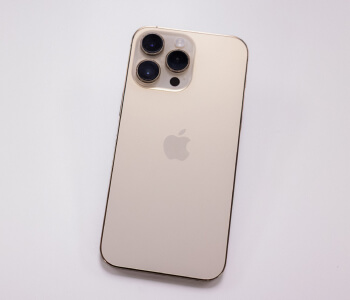
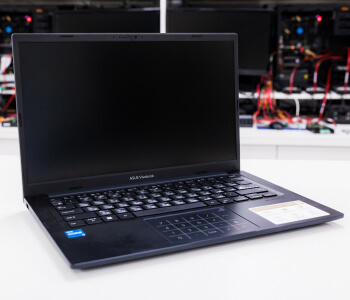
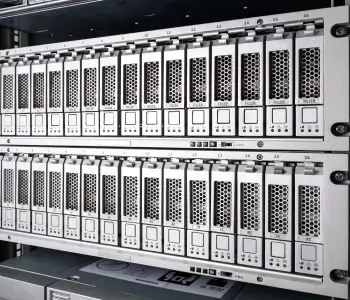
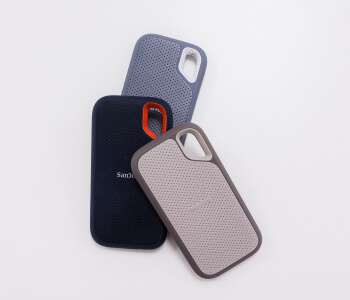
Whether you’re facing a failed hard drive, SSD, or a crashed RAID array, our experienced engineers are here to help retrieve your data.

Trust the experts with a 96% success rate, free quote, and a No Data, No Recovery Fee guarantee.

Walk In Hours:

Mon-Sat: 10AM-8PM
Sun: 11AM-5PM
Call 24/7 for Emergency Services.
More Locations
Our customers rate our services:
4.9 of 5
star rating
Read Reviews
Why UsReviewsHard Drive Failure CausesFAQ

Hard Drive, Phone, Raid Recovery & More

Chicago has become one of the world’s most economically thriving cities. It’s home to a wide range of industries, from retail and healthcare to finance and technology. For most of its residents, losing access to important digital files can be a serious setback. That’s why Secure Data Recovery provides expert solutions for even the most complex data loss scenarios.

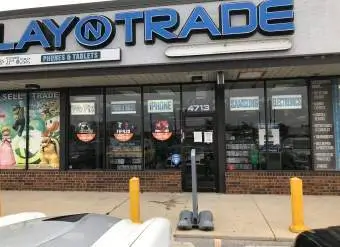
Secure Data Recovery Chicago

Walk In Hours:

Mon-Sat: 10AM-8PM
Sun: 11AM-5PM
(312) 598-4600
Secure Data Recovery Chicago

Walk In Hours:

Mon-Sat: 10AM-8PM
Sun: 11AM-5PM
(800) 388-1266

Our Chicago Data Recovery Services

We work with many trusted partners to bring you reliable data recovery services for all types of devices, operating systems, and file formats. Our team also keeps up with the latest technology, finding new ways to recover data, even from badly damaged or failed devices. This helps us solve tough problems and stay up-to-date as technology changes. Some of the data recovery services we offer include:

Fair & Transparent Pricing

We know that data recovery costs are important to customers. That is why we offer free diagnostics and quotes with our standard service. So there are no surprises. In short, the cost of data recovery depends on several factors, including the device type and the extent of physical or logical damage. These factors are unique to your case. As a result, our staff can only give an exact price once technicians assess your device inside a certified cleanroom. Once diagnosed, we present an accurate quote that reflects the time investment required for a successful recovery. We will not exceed the amount quoted for the given work. You can choose one of our flexible service options or elect not to proceed.

Data recovery services that provide flat-rate pricing are incentivized to declare devices with complex failures as a lost cause. We specialize in retrieving data that others cannot.

Request a free quote today

Learn more about pricing

800-388-1266

We Helped Thousands Get Their Lost Data Back

With over 7,218 satisfied customers & counting, we are proud to provide the service and results that exceed customer expectations.

What's Wrong With My Hard Drive? Chicago Data Recovery Symptom Guide

Use this guide to identify your hard drive’s symptoms, understand how serious the failure is, and know exactly what to do next. We are available across three Chicago-area locations: the Loop, South Side, and Schaumburg and by phone 24/7.

Hard Disk Drive (HDD) Recovery in Chicago

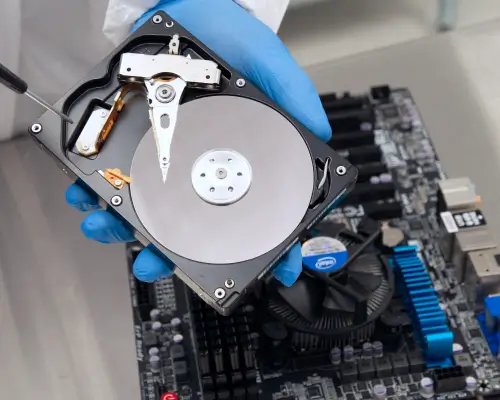
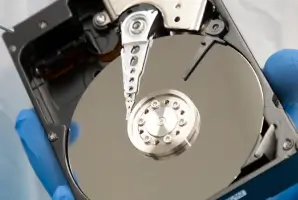
Hard drives remain the most common device brought to our Chicago office. They contain spinning platters, read/write heads, and a motor. Mechanical components that fail in predictable ways. Chicago's older office building infrastructure and the power fluctuations common during winter storm season make some of these failures more frequent here than in other cities. Recognizing the symptom early is the single biggest factor in a successful recovery.

Symptom: Clicking or Ticking Noise

What you're hearing: A repetitive hard drive clicking, ticking, or clunking sound when the drive is powered on.

Possible causes:
  • Read/write head failure is the most common cause. The heads have moved out of alignment or crashed into the platter surface, causing them to click back and forth as they fail to read data.
  • Platter damage where the magnetic surface that stores your data has been physically scratched or damaged, preventing the heads from completing a clean read cycle.
  • Firmware corruption of the drive's internal operating system becomes corrupted, causing the actuator arm to repeatedly seek and fail as it tries to locate critical system data.
Track image
Clicking Heads
Previous
Play
Next
00:00
00:00
This is some text inside of a div block.
This
This
How serious is it?

Extremely serious. A clicking hard drive is the most common path to permanent, unrecoverable data loss. Every additional power cycle risks deeper platter damage. This is not a problem that stabilizes on its own.

What not to do: Do not run Chkdsk, Disk First Aid, or any recovery software on a clicking drive. Do not place it in a freezer as this is a myth that corrodes internal components. Do not open the drive outside of a certified cleanroom environment; a single dust particle landing on the platter surface can destroy data permanently.

What to do: Power the drive off immediately and do not power it on again. Call us (312) 598-4600 or bring it to any of our Chicago-area locations for a free consultation. Our engineers perform head replacement and platter imaging inside our Class 10 ISO 4 certified cleanroom, the same environment used by all the major manufacturers for authorized warranty work.

Symptom: Beeping Sound, Not Spinning

What you're hearing: A repetitive hard drive beeping when the drive is connected, with no spinning sound from the drive.

Possible causes:
  • Spindle motor seizure (stiction) when the internal motor has seized, preventing the platters from spinning. The drive beeps as it draws current trying to start a motor that won't turn.
  • Head stiction where the read/write heads have physically stuck to the platter surface during storage or after a knock. The motor cannot overcome the resistance.
  • Electrical failure of the PCB (printed circuit board) on the drive has sustained damage, often from a power surge or static discharge, preventing the drive from receiving the power it needs to spin up.
Track image
Clicking Heads
Previous
Play
Next
00:00
00:00
This is some text inside of a div block.
This
This
How serious is it?

Very serious, but often recoverable by a professional. The good news is that beeping usually means the platters themselves are intact and the data may be undamaged. The bad news is that every attempted power cycle with stuck heads risks scratching the platter surface and making recovery impossible.

What not to do: Do not keep reconnecting the drive hoping it will start. Do not attempt to spin the platters manually. Power surges during Chicago winter storms are a frequent cause of PCB damage and if your drive stopped working after a surge or outage, mention this when you call so we can assess the board before powering the device.

What to do: Disconnect the drive from power and do not reconnect it. Bring it to any of our three Chicago-area locations or ship it using our free prepaid label. Our engineers will assess whether the failure is a motor seizure, head stiction, or electrical issue and perform the appropriate repair inside our cleanroom before attempting data extraction.

Symptom: Drive Not Detected or Recognized

What you're hearing/seeing: The drive is connected but does not appear in Windows Explorer, Finder, or Disk Management. Your computer may act as though nothing is plugged in.Possible causes:

Possible causes:
  • Firmware corruption of the drive's internal firmware, which tells the device how to operate and where data is located, has become corrupted. This is a logical failure but can be as destructive as a physical one.
  • PCB failure — the circuit board on the drive has failed due to a power surge, overheating, or component wear. Unlike older drives, modern hard drives have unique, drive-specific data burned into the PCB which means you cannot simply swap a PCB board from an identical drive without transferring this data.
  • Head failure with no audible symptom - sometimes heads fail silently, without the classic clicking sound. The drive appears dead because the heads cannot read the service area needed to initialize the device.
  • Platter surface degradation when microscopic damage to the magnetic surface accumulates until the drive can no longer reliably read enough sectors to mount.
Track image
Clicking Heads
Previous
Play
Next
00:00
00:00
This is some text inside of a div block.
This
This
How serious is it?

Serious but this is one of the more recoverable scenarios when addressed quickly. The longer you wait and the more you attempt to power the drive, the more likely you are to push from a firmware or electrical failure into a physical one.

What not to do: Do not format the drive if prompted. Do not run a repair utility. Do not assume the drive is dead and discard it. Our engineers recover data from drives that other companies have returned as unrecoverable.

What to do: Stop powering the drive on. Call us 24x7 at (312) 598-4600 or bring the device to any of our Chicago-area locations. We will perform a free diagnostic to identify whether the failure is firmware, electrical, or physical. Each requires a different recovery approach, and correctly identifying the cause is what separates a successful recovery from a failed one.

Symptom: Drive Detected But Slow, Freezing, or Showing Errors

What you're seeing: The drive appears in your system but files take a long time to open, the system freezes when accessing the drive, you see error messages when copying files, or some files appear corrupted.

Possible causes:
  • Platter surface degradation or (bad sectors) are areas of the magnetic surface that are failing. The drive repeatedly attempts to read bad sectors, causing the slowdowns and errors you experience. This failure is progressive and it will get worse.
  • Read/write head degradation of the heads are wearing out and struggling to read data consistently. You may see errors on some files but not others.
  • Firmware or file system corruption — logical damage to the structures that tell the drive where files are located can cause intermittent access failures without physical damage.
Track image
Clicking Heads
Previous
Play
Next
00:00
00:00
This is some text inside of a div block.
This
This
How serious is it?

Do not mistake a slow drive for a stable drive. A drive showing bad sectors is actively failing. The window between "slow with errors" and "completely unreadable" can be very short. Sometimes hours, not days.

What not to do: Do not copy files one by one over an extended period since repeated reads on a degrading surface accelerate the damage. Do not run a defragmenter. Do not run Chkdsk or fsck in write mode, as these tools can overwrite data in an attempt to repair the file system.

What to do: Stop using the drive immediately. If you need to attempt a data copy, use a sector-by-sector imaging tool rather than the file system but even this carries risk on a physically failing drive. For irreplaceable data, bring the drive to any of our Chicago-area locations for a professional evaluation. Our engineers will image the drive under controlled conditions, prioritizing the most critical sectors first.

Not sure which symptom applies to your hard drive? Our complete hard drive sound guide covers everything from normal drive noises to the warning signs that need immediate attention. You can also contact us 24/7 and one of our advisors will help you identify the issue and walk you through your next steps. Free diagnostic, no obligation.

secure data recovery process

1
1. Free Consultation

Power down the hard drive to minimize damage and overwriting. Call 24/7 to discuss the case.

2
2. Free Diagnostics

We diagnose the issue inside a certified cleanroom and develop a plan to recover data.

3
3. Review & Decide

Our team provides a detailed report with a free quote and outlines service options for your case.

4
4. Guaranteed Results

You get your data back, or pay nothing. We return your files on an encrypted drive or secure server.

Watch How It Works

Flexible Service Options

Every case is a digital disaster for our customers. After almost two decades, we are still committed to helping people avoid permanent data loss. That is why we have several data recovery options and plans that fit our customers’ budgets and timeframes. These figures represent our typical data recovery services:
Standard Service
  • Diagnostics within 72 hours
  • Turnaround between 5 and 9 business days
Expedited Service
  • Diagnostics within 24 hours
  • Turnaround between 2 and 4 days
emergency data recovery service

Emergency Data Loss?

Don't panic! Our Emergency Data Recovery services can quickly and securely restore your lost data, so you can get back to business.

In addition to in-lab cleanroom services, we offer remote recovery options, where we can use a network connection to restore your data.

Needs us to come to you? We offer on-site data recovery services, where we can bring our cutting-edge tools directly to your location anywhere, anytime. Call us now to speak to an expert.

Trusted by Chicago Businesses Across Every Industry

Chicago is one of the world's most economically diverse cities and data loss hits every sector differently. Our certified engineers have recovered data for financial firms in the Loop, healthcare systems on the North Shore, law firms in River North, and manufacturers across the metro. Our compliance credentials mean we can handle the recoveries that other companies can't.

Finance & Trading Data Recovery for Chicago's Loop and Financial District

Chicago's trading firms, asset managers, and hedge funds in the Loop depend on data that cannot be lost or mishandled. Our FIPS 140-2 validated encrypted drives and SOC-audited lab meet the compliance standards financial firms and their regulators require. Our engineers recover failed trading servers, RAID arrays, SQL Server and Oracle databases, and NAS systems.

Healthcare Data Recovery Serving Northwestern, Rush, and Chicago's Medical District

Chicago's healthcare institutions require a recovery partner who handles patient data under strict HIPAA protocols with documented compliance at every step. We serve medical practices, hospitals, and healthcare networks across Chicago, Evanston, Oak Park, and the broader metro area. Our engineers recover medical imaging servers, EHR databases, PACS systems, clinical workstations, and DICOM archives.

Legal & Insurance Data Recovery for Chicago Law Firms and Schaumburg's Corporate Corridor

Chicago law firms and insurance carriers including those headquartered in Schaumburg, Hoffman Estates, and the northwest suburbs regularly need data recovered for litigation, discovery, and claims. Our digital forensics team provides court-admissible reporting and chain-of-custody documentation that holds up in court.

Manufacturing & Logistics Data Recovery for Chicago Area Businesses

A crashed SQL database or ransomware-encrypted server can halt production or take a development team offline for days. Our engineers recover critical systems for manufacturers, logistics companies, and tech firms across Chicago, Naperville, Aurora, Joliet, and the broader Chicagoland area.

Why Choose Us to Recover Data From Your Desktop

Since 2007, we have built our reputation on one principle: you get your data back, or you pay nothing. Our certified engineers treat every case with the same level of care, whether it is a family photo drive or a mission-critical business server. Your privacy and security are protected at every stage, from intake through delivery, in a facility that meets the most demanding compliance standards in the industry.

  • Official Partner with Major Brands including Apple, Western Digital, and Seagate
  • Class 10 ISO 4 Certified Cleanroom for safe handling of physically damaged devices
  • SSAE 18 SOC 2 Type II and SOC 3 Audited Facility for the highest standards of data security and confidentiality
  • ISO 9001:2015 Certified Quality Management System ensuring consistent, documented processes on every case
  • In-Lab, On-Site, and Remote Recovery options to fit your situation and timeline
  • No Data, No Recovery Fee Guarantee on every case, no exceptions

Your Data is Safe & Secure With Us

Our verified and secure process safeguards your data at every stage of recovery, including the secure destruction of damaged devices.

We undergo regular SSAE 18 audits to demonstrate how we store and manage data while restoring files. Furthermore, we adopt the latest strategies to defend against cyber threats. Our team also follows FIPS-validated data handling practices from start to finish.

We even return your data on encrypted drives or over secure servers to prevent unauthorized access in transit. It shows our commitment to ensuring personal and private data stays that way.

Our Customer Reviews

Average rating 4.9

Rating based on 122 reviews

Leave Review
User Rating

May 11, 2026
5
Star Rating
Family photos recovered!

I had a very positive experience with Secure Data Recovery Services. While the cost initially seemed high, in the end it was absolutely worth it. The drive contained nearly 25 years of family photos and videos that were truly irreplaceable, so recovering the data was extremely important to me.Josef was very helpful throughout the entire process. He clearly explained each step, kept me informed on the status of the recovery, and was always responsive when I had questions. The turnaround time was also faster than I expected.Most importantly, they were able to recover all of the files successfully. The professionalism, communication, and results gave me a great deal of peace of mind during a stressful situation. I would highly recommend them to anyone facing potential data loss, especially when the files are valuable and personal.

User Rating

Mar 19, 2026
5
Star Rating
Kyle Moravcik and SDR are AMAZING!

Kyle Moravcik was the best to work with. He was always following up and made sure we knew what was going on with our data recovery. He was great with communication and also made it affordable to recover our data. We were so worried all of our files would be lost forever but Kyle reassured us Secure Data Recovery would be able to help and that''s just what they did! Not only was the service affordable they were really quick and efficient to get it done. I would recommend Secure Data Recovery every time and if i ever need this service again this is the only place I would go!

User Rating

Jan 23, 2026
5
Star Rating
Saved My Company''s Crucial Data

I worked with Kyle M. to recover my SQL databases that I thought were lost due a corrupted hard drive. These files were crucial to my company''s operations as a manufacturer. Kyle and Secure Data had fair pricing, lead times, and were responsive during the entire process. I had a great experience!

Get a Free Quote Today

Losing access to your files can be overwhelming, but it does not have to be permanent. Our certified engineers, 96% success rate, and commitment to data security make Secure Data Recovery the trusted choice for Chicago businesses and residents.

When you contact us, you can expect:

Getting started is simple. Call us 24/7 at (312) 598-4600 or visit any of our three Chicago-area locations.

Frequently Asked Questions

Featured Insights & Articles

Request Free Quote