


The way people access information has changed since the launch of ChatGPT and AI Overviews in Google Search.
Although widespread AI adoption sped up information gathering, large language models (LLMs) still make mistakes. These false or misleading statements can negatively impact users seeking advice in a high-stakes moment.
Our experts set out to answer a simple question: Does AI give accurate, safe data recovery advice?
Before continuing, it is helpful to understand how AI works.
How Does AI Give Advice on Data Recovery?
Top LLMs are trained on vast datasets, which likely contain hundreds of millions of image-text pairs and trillions of words. Models rely on training data to learn basic patterns and memorize specialized concepts. The training corpus even includes information about niche fields, such as data recovery.
In short, LLMs break requests into smaller units, known as tokens. The model relies on the context and knowledge it gained during training to predict the next token in a sequence. It continues this process step by step until it forms a complete response to the prompt.
So, when someone asks an LLM about data recovery, the model offers suggestions for the given situation based on its training.
Our Methodology
To accomplish this, we selected inputs to reflect common data loss scenarios for hard drives, solid-state drives (SSDs), and iPhones. They also draw from our experience with how users typically approach these situations. All models were presented with identical prompts. Follow-up questions were asked in the same chat as the initial prompt.
We tested outputs on OpenAI’s ChatGPT, Google’s Gemini, and Anthropic’s Claude in the experiment. This exercise used the free model from each AI lab. The default models in April 2026 were GPT 5.3 Instant, Gemini 2.5 Flash, and Claude Sonnet 4.6. We did not log in to ChatGPT or Gemini for the most neutral outputs. Claude requires users to log in, so we created a new account.
Then, we graded the answers of ChatGPT, Gemini, and Claude across eight questions about consumer storage devices and relevant data recovery methods. Labels were applied to each response based on its accuracy and precision.
We defined an answer as Accurate if it provided directly relevant information or instructions for data recovery efforts.
Outputs were labeled Vague if they did not clearly address the effectiveness and scope of the suggested data recovery methods or troubleshooting tips.
An answer was marked Inaccurate if it contained false statements or misleading advice that would, if followed, jeopardize data.
In most cases, we assigned multiple labels to a response. Outputs often showed elements of accuracy, vagueness, and inaccuracy within the same reply. This approach reflects the range of AI-generated answers on a diverse topic.
For example, a response would not receive an “Accurate” label for defining file corruption. It would receive an “Accurate” label for telling people to create a copy of corrupted files and run the repair tool on them. Answers would receive a “Vague” label for merely stating that data recovery software fixes corrupted files. It would receive an “Inaccurate” label for suggesting CHKDSK as a solution to repair individual files.
Results
The following figures are an assessment of AI’s answers:
These grades capture the fundamental problem with treating AI as an absolute authority: It’s pretty accurate. It’s fairly vague. And it’s frequently inaccurate.
As seen below, those blurred lines could have real-world consequences for data recovery.
AI on Hard Drive Clicking
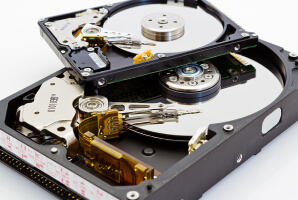
Hard drive clicking is a symptom of mechanical failure. Known as the click of death, it often occurs due to torn or weakened read/write heads. The regular, sharp noise is an alarming sign of a failing hard disk drive (HDD). Hard drive recovery is the only reliable solution.
We asked each model two questions on the topic:
- What does it mean if my hard drive is clicking?
- Can data be recovered from a clicking hard drive?
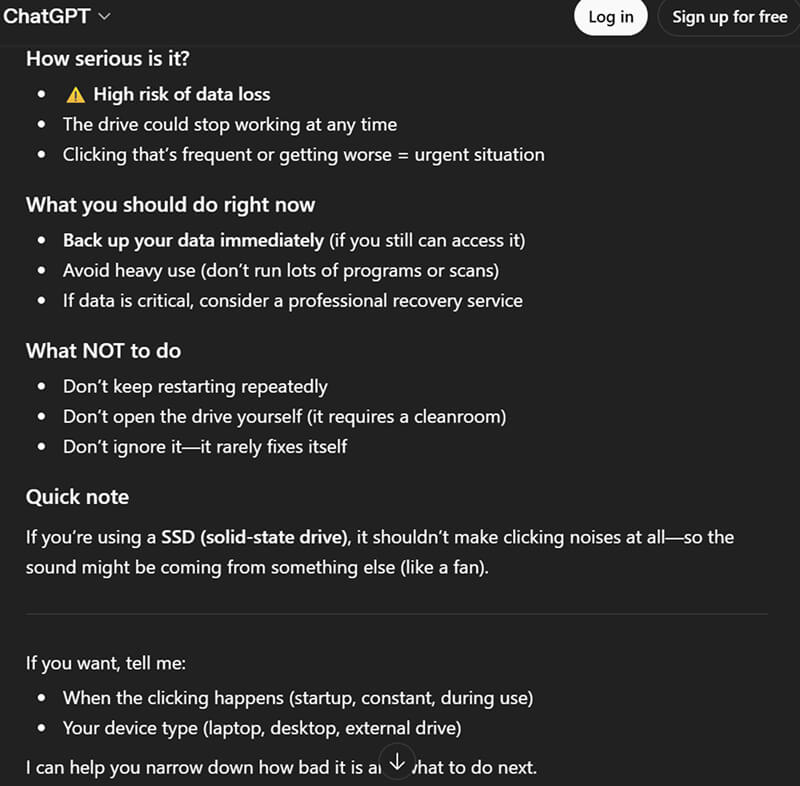
Asked what hard drive clicking means, ChatGPT explained that the sound is usually a warning sign of a serious hardware problem.
However, ChatGPT’s advice contradicts its explanation. Running the hard drive to back up files could work, but the disk is about to fail. Continued use could also cause the read/write heads to inflict platter damage, resulting in permanent data loss. It is nothing more than a risky, last-ditch effort.
Shutting down the device is the only safe approach to protect critical data.
Hard drive clicking will never fix itself.
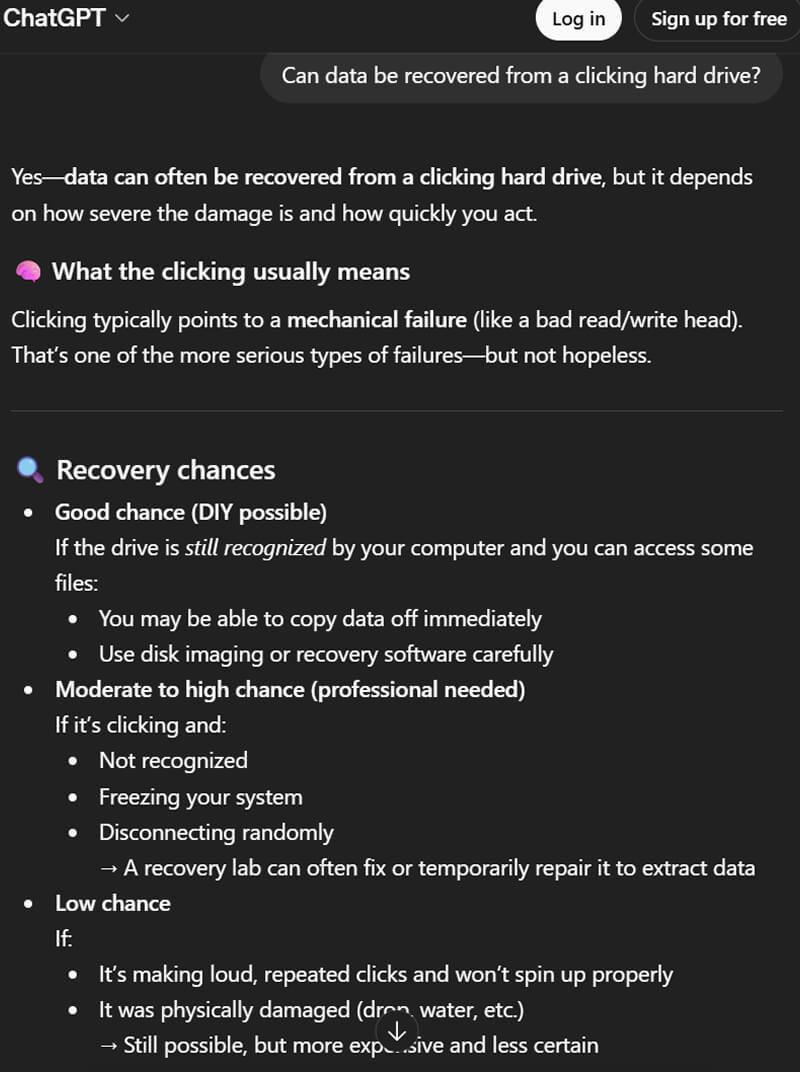
When asked about recovering data from a clicking hard drive, ChatGPT claimed there is a good chance for DIY recovery in certain circumstances. It even mentioned using software for a physical issue.
DIY attempts to resolve clicking hard drives are unlikely to succeed. Backing up before failure may rarely work, but data recovery software cannot fix physical issues. Damaged disks deteriorate under stress and need a certified cleanroom for hard drive repair. The public lacks access to a certified cleanroom and advanced tools to safely replace read/write heads without damaging the platter.
The best advice is to simply stop using the HDD as soon as possible.
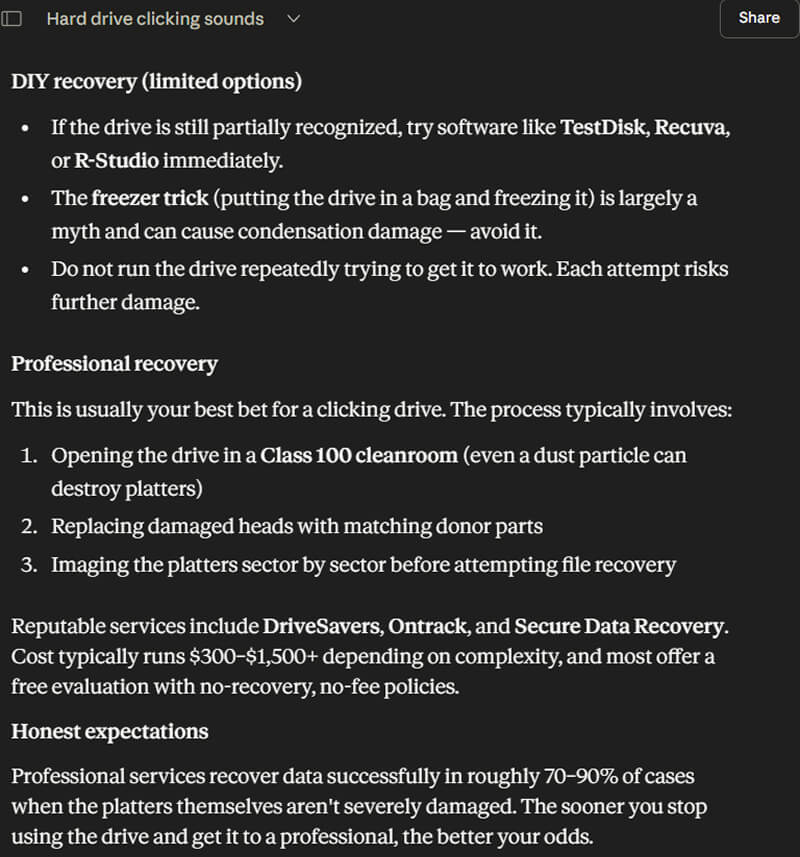
When asked the meaning of hard drive clicking, Claude detailed it as a severe failure.
Yet, Claude also suggests trying software to recover data from a clicking hard drive. Data recovery software will never repair a physically damaged HDD. Installing software and continuing to run the hard drive will only make things much worse. Doing so could cause platter scoring and lead to permanent data loss.
Claude is correct that success depends on the extent of physical damage to the disk’s platters. Taking quick action can greatly improve outcomes.
It is always best to request help from a data recovery service to restore files on a failing hard drive.
At Secure Data Recovery, we maintain a state-of-the-art Class 10 ISO 4 cleanroom for invasive procedures. A Class 10 ISO 4 cleanroom permits a maximum of ten particles per cubic foot of air. This figure represents a tenfold reduction in the amount of allowed particles compared to a Class 100 cleanroom. The highly controlled environment reduces the risk of further damage, helping us achieve a 96% success rate.
AI on External Hard Drive Not Showing Up
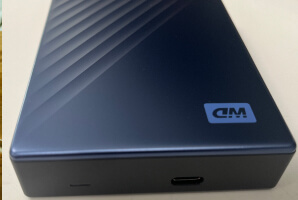
An external hard drive not showing up on Windows or Mac happens for several reasons. It could be a connection issue, a software conflict, a logical error, or a hardware failure. Proper troubleshooting is crucial to diagnosing the external device and safeguarding data. External hard drive recovery is tailored to the failure type.
The two questions we asked AI were:
- Why is my external hard drive not showing up?
- How do I recover data from an external hard drive that is not detected?
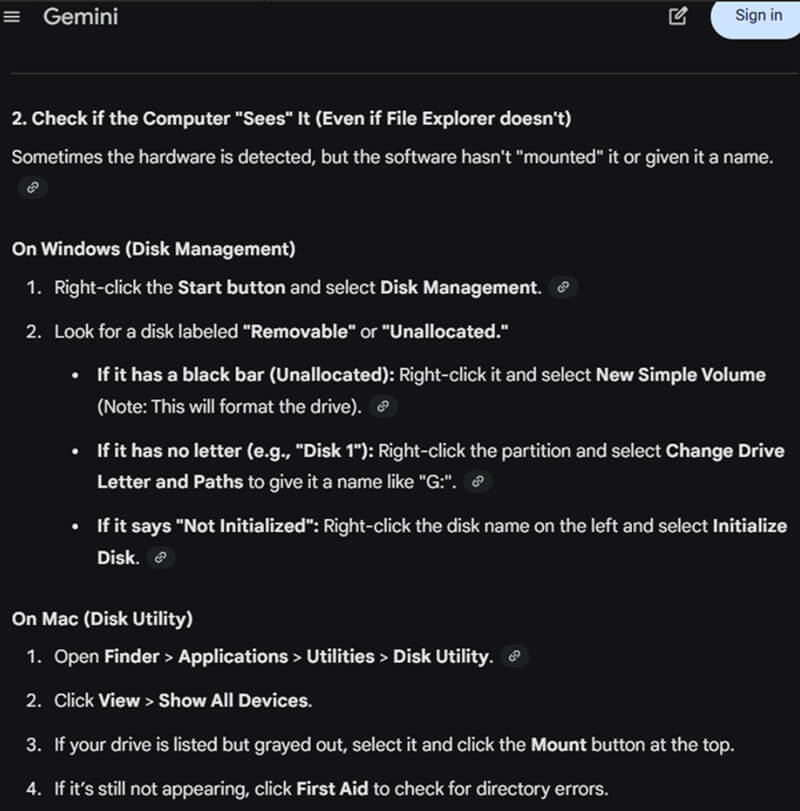
When prompted about an external hard drive not showing up, Gemini provided a list of troubleshooting tips.
Gemini’s advice to format the drive is reckless. While reformatting may make the device usable again, it erases all existing data.
You would need data recovery to avoid overwriting files on an external HDD. Formatting an external SSD can cause permanent data loss. SSDs have a technology that almost instantly purges data from NAND flash memory cells to optimize their performance and lifespan.
In addition, running First Aid on an external hard drive that isn't showing up on your Mac can be dangerous.
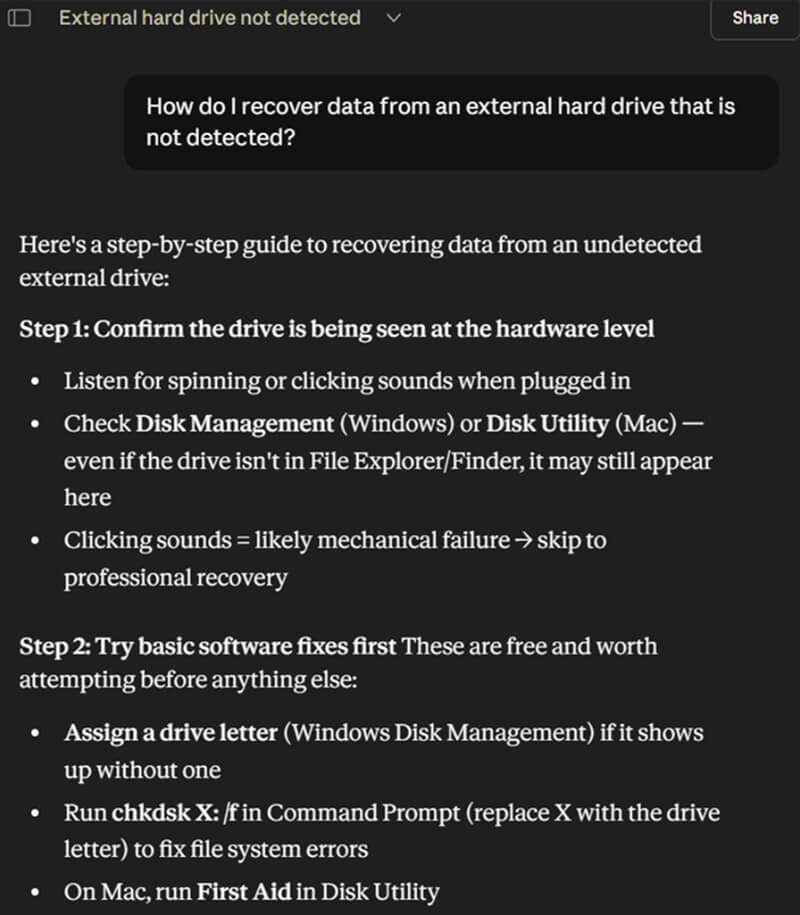
Claude recommended CHKDSK and First Aid to address file system corruption when asked about data recovery options.
We would discourage users from running CHKDSK and First Aid before diagnosing the device. These built-in tools prioritize repairing the file system over recovering your data. As a result, they can lead to further data loss. Do not run CHKDSK or First Aid if you want to restore lost data.
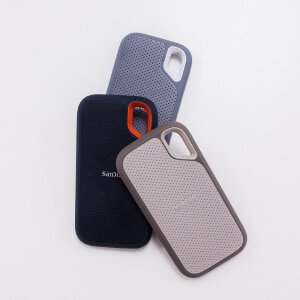
Data recovery software can sometimes resolve corruption that prevents the detection of an external drive. For example, it might recover data from a file table with broken links. However, many tools will struggle to repair a RAW drive. An external drive not showing up could also indicate corrupted firmware, as seen with some SanDisk Extreme Portable SSD models. Not all programs can interpret the scrambled data.
A professional data recovery service with certifications will always deliver the best outcome in these cases. Their specialized equipment can often bypass an undetected hard drive to recover data from its platters.
AI on Recovering Deleted Files
Deleted files are among the most common causes of data loss. The chances of restoring deleted data vary across storage media. Hard drives retain deleted files in their free space until they are overwritten. SSD data recovery is different. The system issues a TRIM command to SSDs, telling the drive’s controller to permanently clear data from unused blocks. SSDs are frequently used as system drives due to their performance benefits.
We asked ChatGPT, Gemini, and Claude:
- How do I recover a file that I accidentally deleted on my computer?
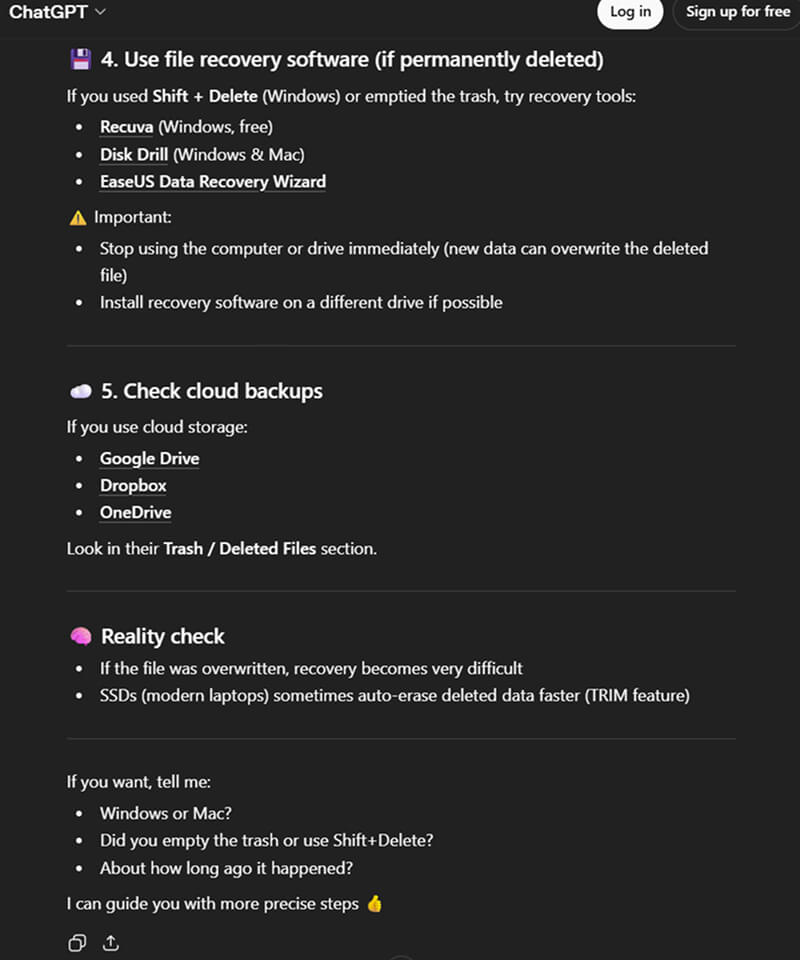
ChatGPT mentioned temporary folders like the Recycle Bin or Trash, as well as native snapshot features such as File History or Time Machine. It also noted the differences in data recovery for permanently deleted files on SSDs and HDDs in its response.
The success of file recovery software depends on the storage device. Many desktops and the latest laptops have SSDs. Modern Macs solder SSD modules directly to the logic board.
A TRIM command can take seconds or a few minutes to delete data on the SSD. It depends on the number of files marked for deletion. Shutting down the system as soon as possible could salvage some data.
Computers still using hard drives have a much better outlook than SSDs.
ChatGPT, Gemini, and Claude overlooked the role of a data recovery service. They offer capabilities far beyond those of a software solution. Engineers can even sometimes recover deleted data from a file system infected with ransomware.
In addition, experts often reconstruct large volumes of deleted files more accurately than consumer software.
AI on Fixing Corrupted Files
File corruption occurs when data becomes unreadable. Corrupted files often display error messages when you try to open them or show a string of strange symbols. Corruption can occur due to improper ejection of an external drive, sudden power loss during a write operation, and malware. Methods for fixing corrupted files vary based on the severity of the issue.
The questions we presented to AI:
- Why can’t I open files on my computer?
- How do I fix corrupted files?
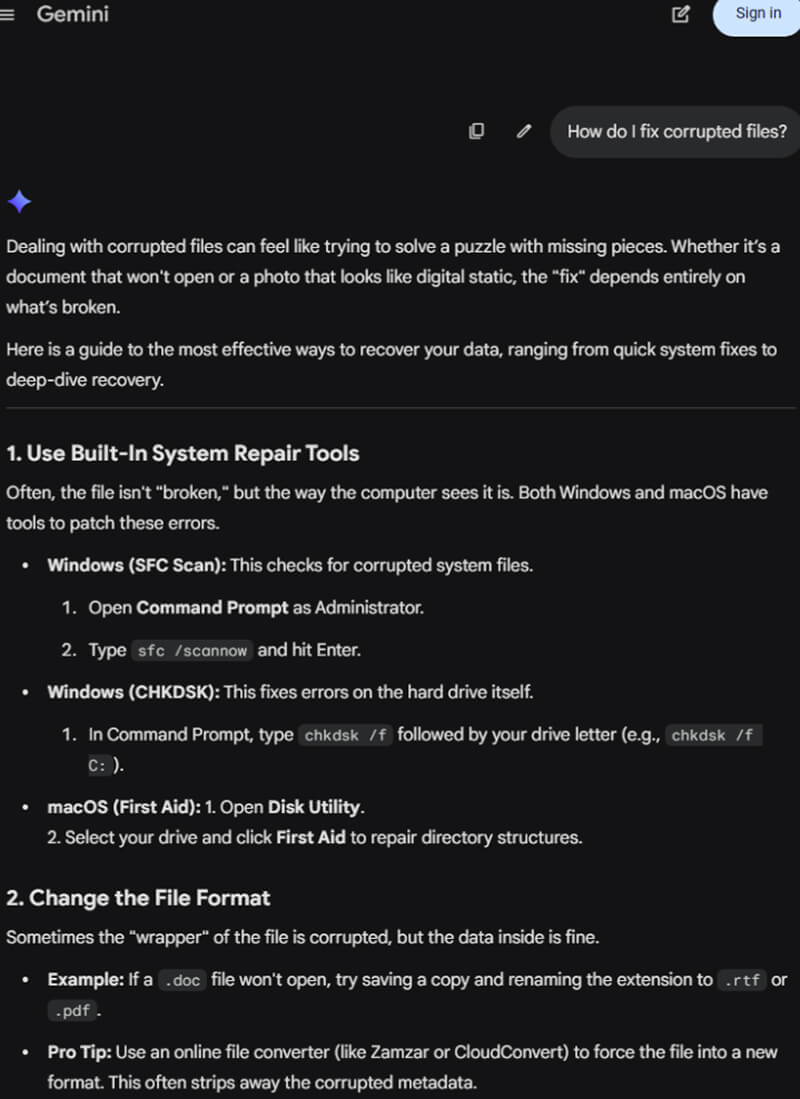
Gemini misrepresented the risks of CHKDSK when asked about fixing corrupted files.
Plus, CHKDSK is a system-level tool. It tries to repair a corrupted file system, even at the expense of stored data. CHKDSK cannot fix significant system corruption or repair specific files. If raw data in the header, footer, or block of a file is damaged, CHKDSK will only worsen the corruption.
The same applies to First Aid on macOS.
Gemini also referenced retrieving files from cloud storage. However, a cloud service can upload corrupted files to its servers during the syncing process. You may just restore a corrupted version if the file has been unreadable for some time.
Notably, ChatGPT and Gemini strongly advised creating copies of corrupted data and using file repair tools on the duplicates. This approach is smart. It preserves the original data for additional attempts.
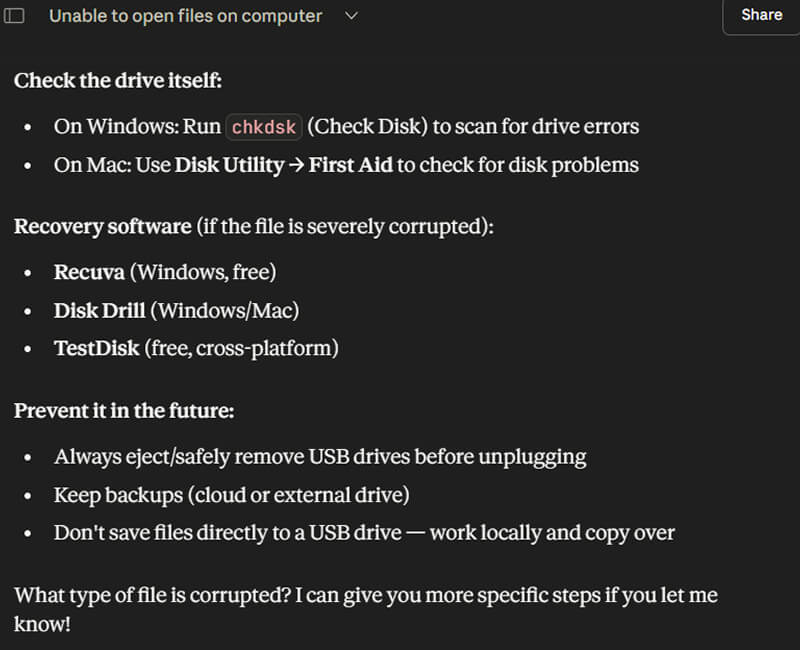
Like Gemini, Claude also suggests CHKDSK and First Aid as a potential solution. This advice is misguided. CHKDSK and First Aid cannot fix corrupted files.
However, following the practices Claude mentions can reduce your risk of file corruption in the future.
AI on iPhone Data Recovery
iPhone data recovery is a complex process with many nuances. It is possible to recover data from an iPhone in numerous cases. However, the iPhone’s design and several other factors determine whether a successful recovery is likely.
We asked ChatGPT, Gemini, and Claude the following question:
- Can lost data on an iPhone be recovered?
ChatGPT, Gemini, and Claude all cited the variables involved in data recovery for iPhones. Steps to recover deleted data on iPhones were a common thread. Each model mentioned the Recently Deleted folder in popular iOS apps as the most reliable method to restore data.
An iCloud backup was another option listed for deleted data, but it required more context than the chatbots gave. iCloud is a service that shares data across the Apple ecosystem. It is not a true backup platform. When you delete data from your iPhone, it is also removed from iCloud’s servers when synced.
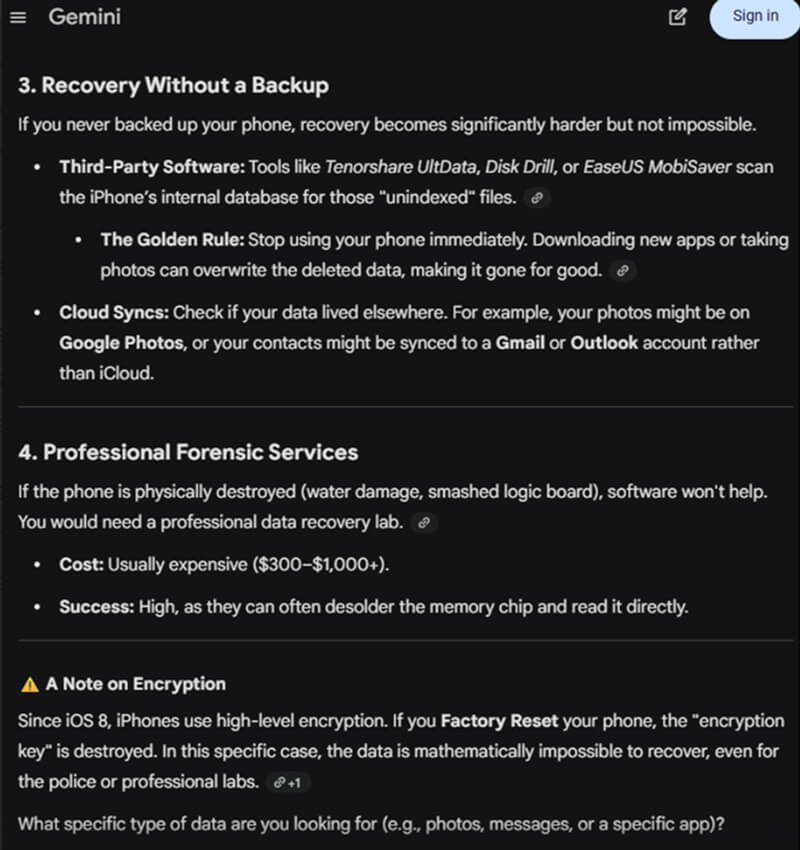
Gemini also suggested third-party software as a possible solution for users without a valid backup.
Third-party software that claims to recover deleted data on iPhones is misleading. Modern iPhones feature robust hardware encryption. Deleting something on your mobile device also erases the encryption key needed to access that data. Crypto-shredding makes all deleted data unusable, even to the iPhone’s owner.
As such, these products cannot recover permanently deleted photos, videos, messages, or notes from an iPhone. They can only locate data that still resides in the iPhone’s internal storage or remains synced with iCloud. For example, third-party software may retrieve a cached, low-res thumbnail from a different database or a duplicate of the deleted image.
That outcome might be better than nothing for some users. However, it is not data recovery in the sense of restoring your original files.
Gemini’s note on encryption is accurate. The introduction of Data Protection in iOS 8 did complicate the iPhone data recovery process. For example, the iPhone Unavailable error can cause irreversible data loss.
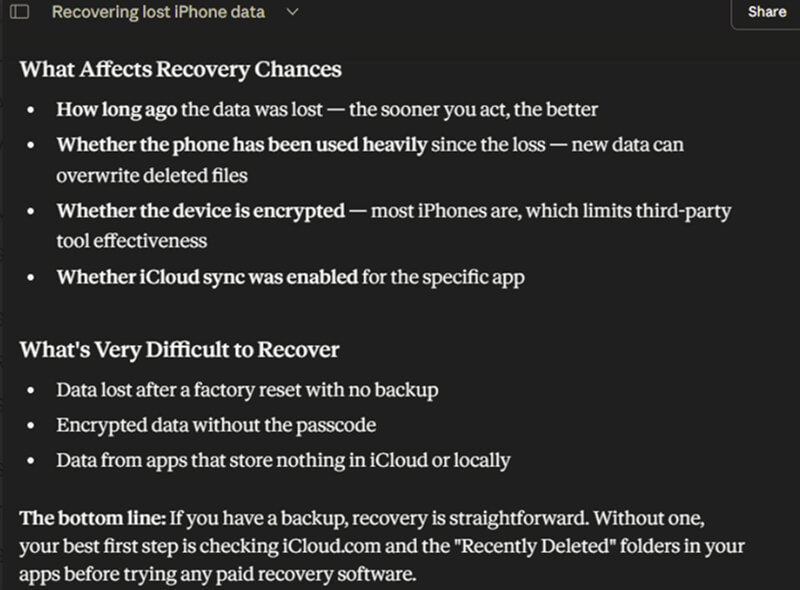
Claude understated the difficulty of these cases. It is actually impossible to recover data from an iPhone without the passcode or following a factory reset.
What We Learned About AI Data Recovery Advice
Tools like ChatGPT, Gemini, and Claude have developed rapidly, but they still make mistakes, as seen in this exercise. While these models can certainly help address some problems, they are not a substitute for a subject-matter expert. When users lack adequate technical knowledge to provide sufficient context, the jagged intelligence of LLMs becomes quite apparent.
Blindly following AI’s advice could lead to much worse data recovery outcomes in certain circumstances. It is always better to speak with an expert after losing important data.
At Secure Data Recovery, we offer a free consultation to all customers. Standard service includes a free diagnostic and quote. Our 96% success rate also comes with a No Data, No Recovery Fee guarantee for complete peace of mind.
Call 800-388-1266 or fill out our form to get a free quote and discuss service options with our staff.

Timothy Burlee

Timothy Burlee is a content writer for Secure Data Recovery Services. He specializes in various topics in the data industry, including data recovery technology, storage devices, and digital forensics. Throughout his career, he has covered complex concepts and provided accessible solutions for users. Before joining Secure Data, he worked as a freelance technical writer.







.png)
