


Hard drives look — and feel — like sturdy pieces of hardware. Inside, though, they’re incredibly delicate. Even small amounts of movement, like a drop, bump, or constant vibration, can cause serious damage, especially if the drive is in use at the time.
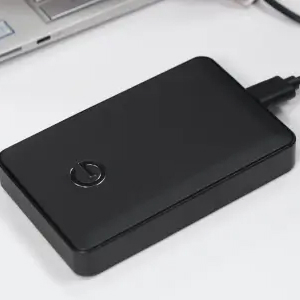
This kind of damage often happens in everyday situations: dropping a laptop while it’s still on, knocking an external drive off a desk, or using a drive in an environment where it’s exposed to frequent vibration.
The reason for this is simple. Inside a hard drive, components move at high speeds with extremely fine margins. When that movement is disrupted, even briefly, it can cause these components to fall out of alignment or even collide with each other.
The result can be immediate hardware failure, and in many cases, permanent data loss.
How a Hard Drive Works (And Why It’s Vulnerable)
To understand why movement is so damaging to hard drives, it helps to understand how hard drives work.
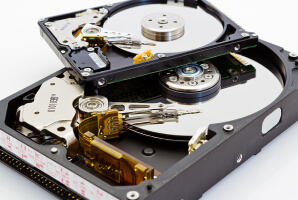
A traditional hard drive contains several key components:
- Spinning platters, which store your data
- Read/write heads, which access that data
- An actuator arm, which moves the heads across the platters
- A spindle motor, which spins the platters at high speed
The critical detail here is how close these parts operate to each other: the read/write head floats just nanometers above the surface of the spinning platters.
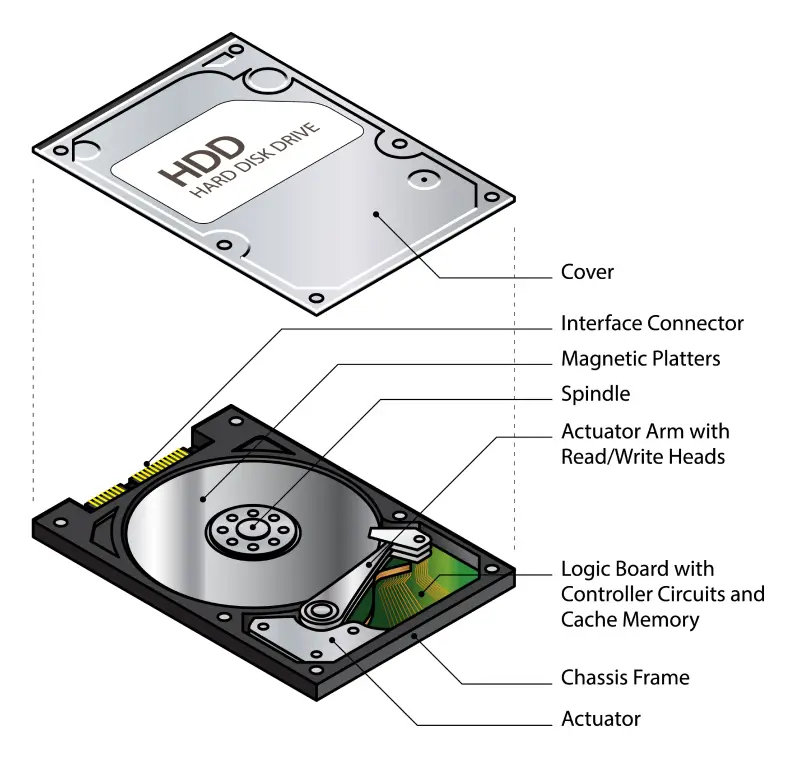
The closeness of the read/write head to the platters allows the drive to read and write data with incredible precision, but it also makes the whole system very fragile. Any sudden movement, like a drop or vibration, can cause the head to make unintended contact with the platter.
This level of precision is what makes hard drives efficient, but it’s also what makes them so vulnerable to physical damage.
What Excessive Vibration Actually Does Inside the Drive
Excessive vibration disrupts the precise alignment hard drives rely on to function. When the platters are spinning at 5,400 to 7,200 RPM (or sometimes higher), even a small shock can have a major impact.
Inside the drive, vibration can cause several critical issues:
- The read/write heads can lose positioning accuracy, making it harder to access data
- In severe cases, the head may touch the platter surface, causing a head crash
- Friction and heat can increase, putting additional strain on components
- Continuous movement puts mechanical stress on parts like the actuator arm and motor
It’s important to note the difference between sudden shock and continuous vibration. A drop or sharp impact can cause immediate damage, while continuous, ongoing vibration — such as using a drive on unstable surfaces or in machinery — can gradually wear down internal components over time.
The key risk is that this damage often happens instantly, and can sometimes be permanent, especially if the drive is powered on when the movement happens.
Common Types of Damage Caused by Vibration
Excessive vibration can lead to several types of mechanical failure, many of which can cause permanent data loss. Let’s take a closer look at these failure types.
1. Head Crash (Most Critical)
A head crash occurs when the read/write head makes direct contact with the spinning platter. This is one of the most severe forms of damage, as it can instantly scratch the surface where data is stored. Head crashes tend to happen if a drive is moved or dropped while in use.
2. Scratched Platters
When platters are scratched, the damage is physical and irreversible. The affected areas can no longer store or return data, making files partially or completely unreadable. Recovery in these cases is extremely complex.
3. Read/Write Head Failure
Excessive vibration can misalign or damage the heads, preventing them from being able to access data correctly. Common signs of read/write head failure include clicking noises or the drive not being recognized by your system.
4. Actuator Arm Misalignment
The actuator arm controls head movement. If it becomes misaligned, the heads can’t position accurately, leading to read/write errors and potential data corruption.
5. Spindle Motor and Bearing Damage
Vibration can also affect the motor that spins the platters. This may cause unstable rotation, grinding sounds, or complete failure to spin.
Remember, these are all forms of physical failure; software fixes can’t repair them.
Signs Your Hard Drive Has Been Damaged by Vibration
Vibration- or shock-related damage often shows clear warning signs, as long as you know what you’re looking for. Spotting these early can help prevent further data loss.
Common signs include:
- Clicking, grinding, or beeping noises coming from the drive. If you’re unsure about the sounds you’re listening for, check out our hard drive recovery page for a library of warning signs.
- The drive not being recognized by your computer
- Slow performance, freezing, or long delays when accessing files
- Missing, corrupted, or unreadable files
- System crashes when trying to open or transfer data
These issues typically indicate mechanical issues within the drive, especially if they only started after an impact — whether from a drop, bump, or a period of sustained vibration.
What to Do If Your Drive Has Been Dropped or Shaken
If your hard drive has been dropped, bumped, or exposed to vibration, it’s important to act quickly and carefully.
Here’s what you should do immediately after your device has sustained impact damage:
- Power off the device immediately to prevent further damage
- Do not attempt repeated restarts, even if the system fails to boot
- Avoid running repair tools like CHKDSK or disk utilities, which can cause extra stress on the drive
There are also certain actions that you should avoid at all costs:
- Opening the drive yourself
- Attempting DIY repairs
- Continuing to use the drive to access or transfer files
Mechanical damage doesn’t resolve itself over time with use; in fact, this usually makes it worse. If components like the read/write heads or platters are already affected, continuing to use the drive can cause additional contact and further data loss.
Every additional use increases the risk of permanent damage, so it’s best to stop and seek professional assistance as soon as possible.
Why Professional Recovery Is Often Required
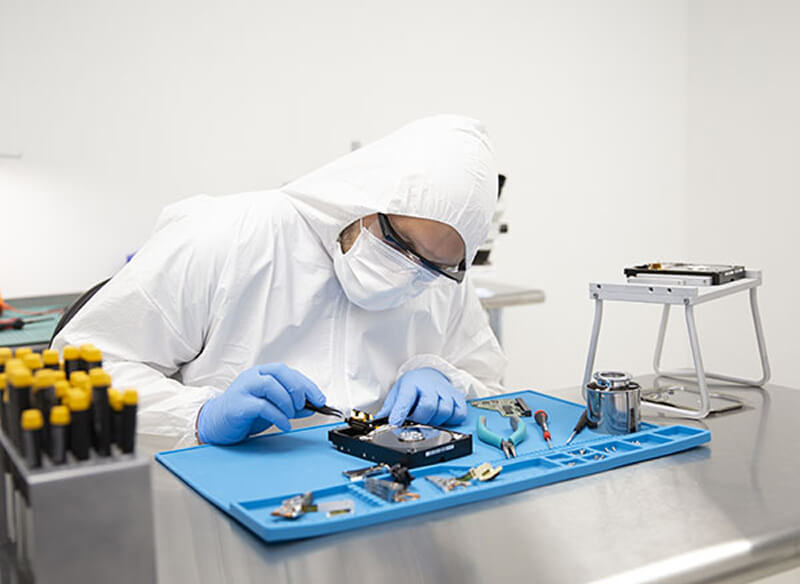
When a hard drive is damaged by excessive vibration or shock, the issue is purely physical — not something that can be fixed by software. Recovering data from a mechanically damaged drive requires specialized equipment and controlled conditions.
Professional recovery typically involves:
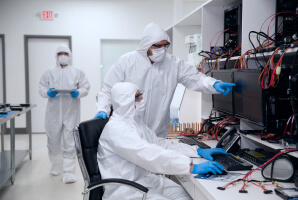
- Cleanroom to safely open the drive without contamination
- Specialized tools to handle delicate internal components
- Replacement parts to temporarily restore functionality
The process usually includes diagnosing the damage, stabilizing the drive, creating a sector-by-sector image to prevent further stress, and then finally, reconstructing the data from that image.
Attempting this outside of a professional setting can expose your drive’s delicate inner components to contamination and damage. And this, in turn, can make recovery much more difficult, and in some cases, impossible.
Secure Data Recovery offers a 96% success rate, operates certified cleanroom facilities, and provides a No Data, No Recovery Fee guarantee, giving you the best possible chance of getting your data back safely and securely.
Don’t Risk Your Data After a Drop or Impact
Hard drives are far more sensitive than they appear. Even minor drops or ongoing vibration can cause irreversible damage, especially if the drive is still in use.
The good news is that many of these failures are preventable with simple habits like powering down devices before moving them and keeping regular backups.
If your drive has already been dropped or is making unusual noises, the safest step is to stop using it right away. Next, reach out to Secure Data Recovery — we can recover the data from your damaged hard drive.
Our data recovery services offer:
- Free diagnostics
- Our signature No Data, No Recovery Fee
- Fast, secure recovery
To get started, reach out to us at 800-388-1266 or request help today!
Don’t wait — acting early can be the difference between partial recovery and permanent data loss.

Monica J. White

Monica is a tech journalist with a lifelong interest in technology. She first started writing over ten years ago and has made a career out of it, with a particular focus on PCs, mobile devices, SaaS, and cybersecurity. She enjoys the challenge of explaining complex topics to a broader audience, whether it's how semiconductors work or how to back up your data. Her work has previously appeared in Digital Trends, Tom's Hardware, Pay.com , SlashGear, Forbes, Springboard, Looper, Money, WePC, and more.





.png)
