


AI adoption is accelerating across enterprise environments. McKinsey’s 2025 global AI survey found that 78% of respondents said their organizations use AI in at least one business function, up from 72% in early 2024 and 55% just a year before that. Stanford’s 2025 AI Index Report also found that global private investment in generative AI reached $33.9 billion in 2024, an 18.7% increase from 2023.
This rapid growth is putting new pressure on data center infrastructure. Training models, running inference, processing analytics, and supporting AI-driven apps all depend on huge volumes of data moving through servers, storage arrays, GPU clusters, networking equipment, and backup systems.
When that data becomes unavailable, the impact can reach far beyond a temporary IT issue. Pipelines can be interrupted, analytics projects can be delayed, and customer-facing services can be severely disrupted, creating knock-on effects for compliance and revenue.
As AI infrastructure becomes more central to business operations, data recovery planning needs to scale alongside it.
Why AI Workloads Put More Stress on Infrastructure
AI workloads aren’t like ordinary business applications. A standard office platform or database may handle steady, predictable activity. AI systems, on the other hand, often process huge datasets, move large files between systems, and run compute-heavy tasks for extended periods. This creates higher, more sustained pressure across the entire data center environment.
Servers and GPUs may run hotter and for longer periods as they train models or support high-volume inference. Storage arrays may need to handle constant movement of training data, model checkpoints, logs, and analytics outputs. NVMe drives, SSDs, HDDs, and RAID systems can all face heavier read/write activity, especially when there are multiple workloads running at the same time.
This affects backup planning. Large AI datasets can make backup windows harder to manage, while fast-changing files also increase the risk of incomplete or outdated backup copies. At the same time, cooling and power systems are particularly important because thermal stress, outages, or unstable power can affect storage availability.
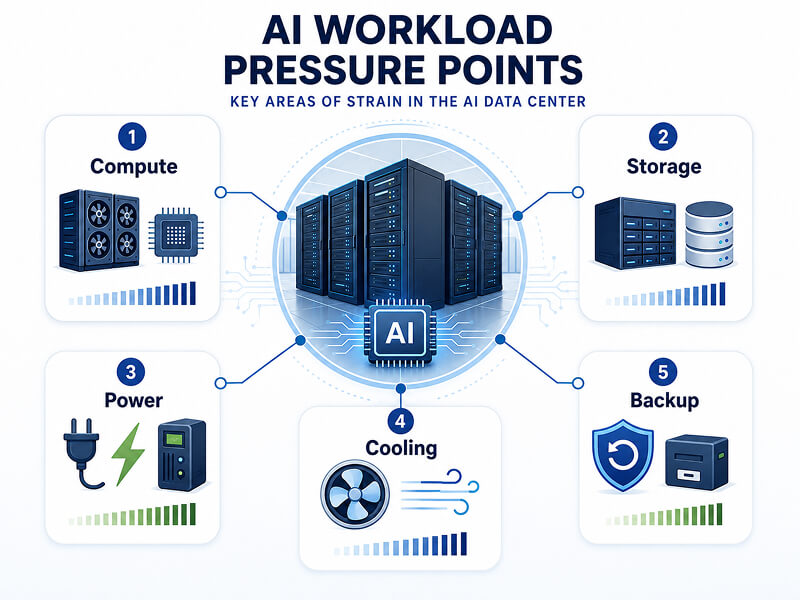
For infrastructure teams, the expectations are higher, too. If AI systems support customer services, business analytics, automation, or revenue-generating operations, recovery simply can’t be treated as an afterthought. AI amplifies existing data center risks because more systems depend on more data, and more often.
What Data Is at Risk in AI-Driven Businesses?
AI-related data loss generally doesn’t affect just one file or one system. In enterprise environments, AI and business data are often spread across multiple systems, including production storage, development and MLOps environments, object storage, backup platforms, shared applications, and endpoint devices. This means that the impact can be a lot harder to contain, and the recovery process becomes significantly more complex.
The data at risk may include:
- Training datasets
- Fine-tuning data
- Model checkpoints
- Customer records
- Operational databases
- Logs and analytics data
- Source files and creative assets
- Financial, legal, or compliance records
Some of this data may be irreplaceable, or at the very least, difficult or expensive to recreate. A lost training dataset could cause huge delays to model development. Missing operational data could affect reporting and automation. Corrupted customer records could disrupt delivery and damage the company’s wider reputation.
For regulated businesses, the stakes can be even higher. Data loss can create audit, retention, and compliance challenges, especially when teams can’t prove what was lost, what was restored, and whether sensitive data was affected.
Common Data Loss Risks in AI Data Center Environments
AI data centers face many of the same risks as traditional enterprise environments. However, the heavier workloads mean that these risks are not just more likely, but also potentially more disruptive.
Power Disruption
Power outages, surges, unstable supply, or failed UPS systems can interrupt AI workloads before files are properly written. Even brief interruptions could corrupt datasets, damage storage systems, or leave RAID arrays in an inconsistent state.
RAID and Storage Array Failure
RAID can improve availability, but it is not a backup. AI workloads can place sustained pressure on storage arrays, increasing the impact of failed drives, rebuild errors, controller problems, or misconfigured arrays. During a rebuild, the remaining drives are under extra stress, which can increase the likelihood of a repeat failure.
Firmware and Controller Issues
Firmware updates, failed patches, storage controller faults, or compatibility issues can sometimes render entire systems inaccessible. In some cases, the underlying drives may still contain recoverable data, but the array, server, or storage platform may not be able to read it without specialist support.
Cooling and Thermal Problems
AI hardware produces a lot of heat — especially in GPU-dense environments. Cooling failures, blocked airflow, liquid-cooling issues, or long-term thermal stress can reduce hardware lifespan and contribute to drive, server, or controller failure.
Backup Infrastructure Strain
AI datasets tend to be large, active, and fast-changing. This can make backups slower, more expensive, harder to schedule, and more difficult to validate. Without a clear plan, businesses may find out that their backups are incomplete, outdated, or too slow to restore when their critical systems go down.
Where Backup Plans Can Break Down
Backups are essential for any AI-driven business, but they won’t always solve every recovery challenge. A backup only helps if it’s complete, up-to-date, clean, accessible, and fast enough to restore when the business needs it.
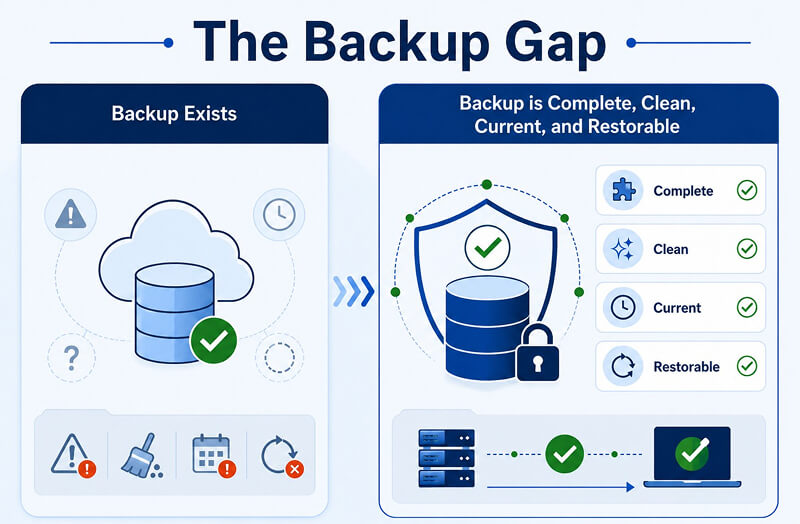
In a real data center environment, backups can fail or fall short in various ways. They may be outdated, incomplete, misconfigured, corrupted, or stored too close to the systems they’re meant to protect.
For instance, if your business encounters a ransomware incident, backups may also be encrypted if they’re continuously connected or not properly isolated. And even when a usable backup does exist, restoring large AI datasets or databases can take longer than your business can afford.
AI workloads can complicate this. Teams may need to recover specific versions of training data, model checkpoints, dependencies, metadata, logs, or database relationships. Restoring the wrong version could break pipelines, invalidate previous work, or cause discrepancies within systems.
Backups are a vital part of being prepared for a data loss incident. However, they should also be supported by tested restore processes, clear escalation plans, and professional recovery options for situations where backup copies are damaged, unavailable, or just not quite enough.
Where Professional Data Recovery Fits Into an AI Resilience Plan
Professional data recovery should be part of an AI resilience plan even before an incident happens — not something a business only thinks about afterward. In AI-driven environments, downtime can have a huge knock-on effect on various business-critical services. If your business has a well-defined recovery path, this can help its teams respond more quickly, and avoid making the situation worse.
When storage hardware fails, or when backup copies prove unusable, a professional evaluation can help determine what data may still be safely recoverable. This is especially important in enterprise environments, where failed recovery attempts can overwrite data, complicate RAID rebuilds, or put additional stress on damaged storage devices.
At Secure Data Recovery, we can support AI-focused businesses with:
- Enterprise storage recovery
- RAID recovery
- SSD and HDD recovery
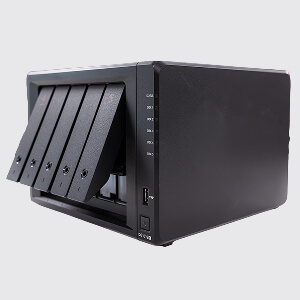
- Server and NAS recovery
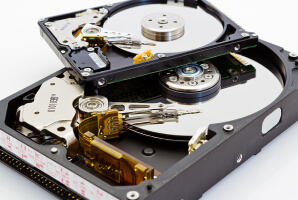
- Cleanroom recovery for physically damaged media
- Secure handling of sensitive business data
- No Data, No Recovery Fee guarantee: we won’t charge you unless we recover your data.
The goal isn’t just to recover files, but also to establish and preserve the best possible recovery path when important data is on the line. Businesses should know in advance who to contact, which systems need specialist handling, and when internal teams should stop troubleshooting.
With this kind of preparation in place, you can help your business reduce downtime, prevent risky DIY attempts, and maximize the chances of safely recovering your critical AI and business data.
How AI-Driven Businesses Can Prepare Before Data Loss Happens
AI resilience begins with having clear oversight of which data matters, where it lives, and how you can recover it if a system fails. For enterprise teams, this preparation should be done and documented before an outage or storage device failure causes an emergency. This way, when you do encounter a crisis, you have a simple, well-defined set of steps to follow to retrieve your data.
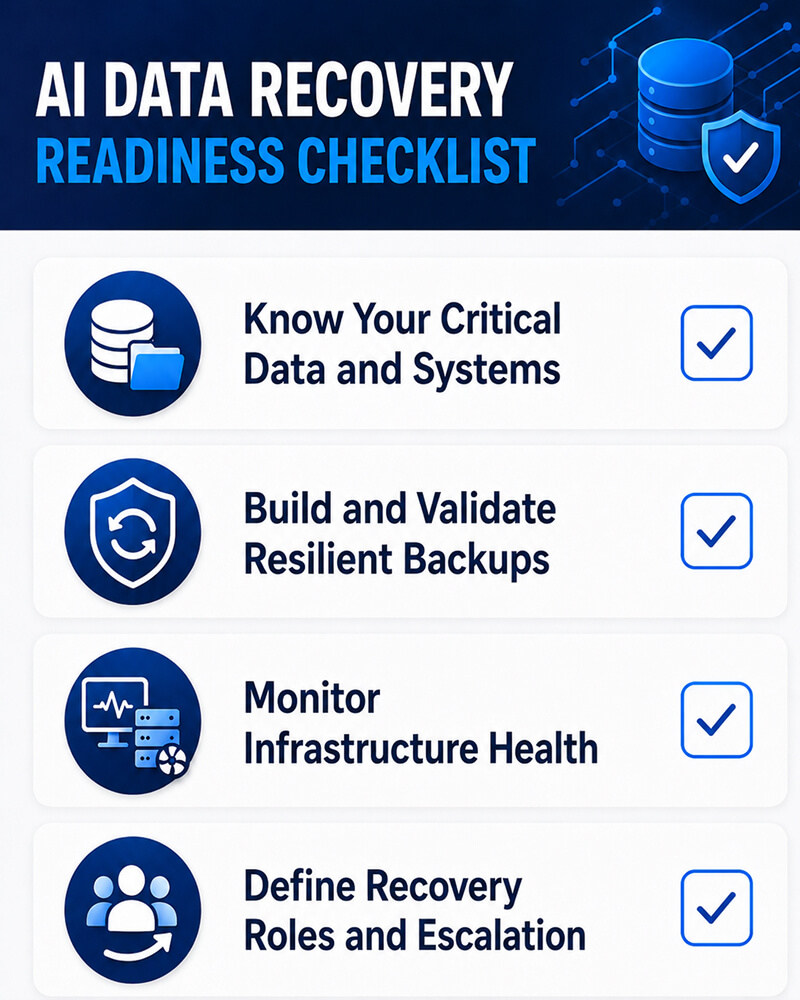
Here are a few things a practical readiness checklist for an AI-driven business should include:
- Identify your most critical AI and business datasets. This may include training data, model checkpoints, customer records, operational databases, and compliance files.
- Map where data is stored across production systems, development environments, cloud platforms, backup systems, NAS devices, and local storage.
- Document storage architecture, including RAID configurations, controller details, drive order, file systems, and dependencies.
- Keep firmware, controller, and hardware records so recovery teams can understand the original environment if your systems become inaccessible.
- Build a 3-2-1 or stronger backup strategy with local, offsite, and isolated copies.
- Test restores regularly to confirm that your backups are complete, up-to-date, and usable.
- Monitor power, cooling, and storage health to catch any early signs of failure.
- Define internal escalation steps so teams know when to stop troubleshooting and preserve affected storage systems.
- Include a professional recovery provider in the incident response plan before a crisis occurs.
- Train teams to stop using affected systems when failure is suspected, especially if drives are clicking, arrays are degraded, or data is disappearing.
The more complex the AI environment, the more important this planning becomes. In order to minimize downtime and keep your recovery options open when your data is at risk, you’ll want to maintain clear records, tested backups, and defined recovery contacts.
AI Resilience Depends on Recoverable Data
AI infrastructure depends on data availability. Powerful servers, GPU clusters, cloud platforms, and high-performance storage systems all matter, but they’re only part of the bigger resilience picture.
Businesses also need a clear plan for what happens when storage fails, RAID arrays become inaccessible, backups don’t work, or critical datasets become unreachable.
For AI-driven organizations, recoverable data supports model development, analytics, customer operations, compliance, and business continuity. When your data is at risk, Secure Data Recovery can help assess failed servers and storage systems to determine the safest recovery path for your unique situation.
Protect the data that powers your AI systems. Contact Secure Data Recovery to integrate professional data recovery into your business continuity and resilience planning.

Monica J. White

Monica is a tech journalist with a lifelong interest in technology. She first started writing over ten years ago and has made a career out of it, with a particular focus on PCs, mobile devices, SaaS, and cybersecurity. She enjoys the challenge of explaining complex topics to a broader audience, whether it's how semiconductors work or how to back up your data. Her work has previously appeared in Digital Trends, Tom's Hardware, Pay.com , SlashGear, Forbes, Springboard, Looper, Money, WePC, and more.









.png)
