


Despite their improved reliability, hard drive maintenance is critical to prevent sudden data loss and prolong the disk’s lifespan.
That is because hard disk drives (HDDs) remain central to data storage. After decades of widespread use, many users still choose hard drives for desktops, servers, and data centers. Thus, they continue to store most of the world’s data, even as the cost of a solid-state drive (SSD) declines. For that reason, the device plays an essential role in our personal and professional lives. It allows us to access important data or priceless memories in an instant.
Disk maintenance is one of the best methods to avoid permanent damage and the stress of data loss. Luckily, maintaining a hard drive does not require much commitment or knowledge of how HDDs work.
The experts at Secure Data Recovery reveal the most effective hard drive maintenance tips.
Key Takeaways:
- Adopting maintenance strategies can extend the lifespan of a hard drive.
- Knowing common signs of hard drive failure helps guard against data loss.
- Develop and test a backup plan to further protect data on the disk.
- Routine maintenance could prevent the need for RAID, SSD, and hard drive recovery services.
Best Hard Drive Maintenance Practices
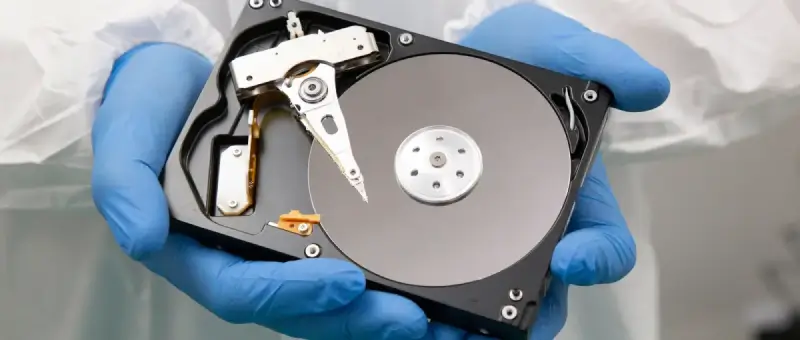
Hard drive maintenance helps optimize performance, preserve data, and lengthen the lifespan of the device. Each of these tricks takes minimal effort, but makes a tangible difference for the disk.
Here are twelve tips for maintaining a hard drive:
- Think twice before downloading. Be cautious when adding new software to your computer. It could contain malicious code. Ensure the publisher is reputable to avoid ransomware and viruses.
- Conserve storage space. Consider only installing and storing what is needed. This practice will improve access times and reduce the potential for file corruption or malware infections.
- Perform periodic cleanup. Archive data that is not accessed frequently. Remove programs that you do not use anymore.
- Defragment the hard drive. Defragmenting is the process of rearranging data on the platter into contiguous regions. Storing files in a more compact area can lead to much better performance.
- Scan for disk errors. Various software and system tools can monitor the status of the hard drive and resolve minor issues. However, utilities like CHKDSK can cause data loss by marking some sectors as unusable. Be careful when issuing commands.
- Use power-saving and sleep modes. These modes enable the hard drive to rest while inactive. Lower wear and tear often equates to a longer lifespan for a mechanical device.
- Streamline the boot sequence. Limiting the number of programs that launch at startup lessens the strain on the drive. In addition, it speeds up the system during booting.
- Prioritize security. Confirm your firewall is active and configured correctly. Update your computer’s antivirus software whenever available. The risk of being compromised increases the longer you are vulnerable.
- Update the operating system and other software. Operating systems receive regular updates to address cyber threats and fix bugs. Driver updates from the manufacturer allow for smoother communication between the computer and HDD.
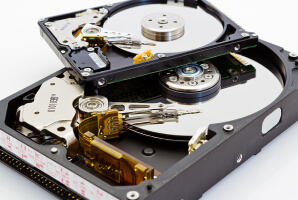
- Handle internal and external hard drives with care. Disks are delicate instruments with many small, moving parts. Sudden impacts or jarring movements could damage the components. Ground yourself before touching the device to prevent static discharge.
- Avoid extreme temperatures, foreign substances, and harmful particles. Hard drives need cooling systems and clear vents to facilitate airflow. Clean the inside of your desktop to protect the disk from dust and debris. Keep the hard drive in an elevated, open space and distance it from liquids.
- Maintain recent backups. Finally, maintenance is not always enough. Catastrophic failures can still happen, so prepare for the worst and schedule backups for critical data.
These simple tips do not require any expertise, but they could save you unnecessary headaches and replacement costs.
Common Signs of Hard Drive Failure
It is difficult to determine how long a hard drive lasts. The compact, mechanical nature of HDDs means most failures are unpredictable. However, there are a few warning signs that suggest the disk is failing. Back up stored data upon noticing any of these symptoms.
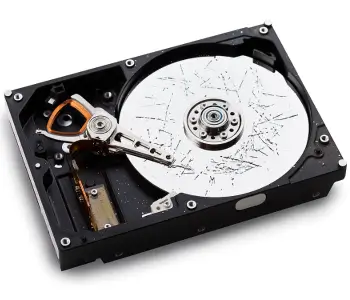
The following signs can indicate hard drive failure:
Clicking, Beeping, or Grinding Sounds
It is concerning when an HDD starts to emit abnormal noises. Hard drive clicking, known as the Hard drive clicking -Click of Death, often signals the failed attempt of a read/write head to record or retrieve data. Hard drive beeping could suggest the device has a malfunctioned motor or defective electronics. Grinding and whirring sounds can also indicate friction or a mechanical breakdown.
Regardless, do not ignore repetitive and unusual noises. They never harmlessly pass.
Regardless, do not ignore repetitive and unusual noises. They never harmlessly pass. -Sluggish Performance, Frequent Freezes, and Blue Screens
The computer slows to a crawl. Freezes become frequent. The notorious Blue Screen of Death appears.
These symptoms point to a failing hard drive. Especially if the issues persist after booting into safe mode or reinstalling the operating system. In that case, it is time to focus on the hardware. To assess hard drive health, run a S.M.A.R.T. test. These diagnostic tools detect impending or underlying problems. Knowing about issues means you can make an informed decision.
Data Corruption and Bad Sectors
Data corruption can occur as the hard drive inches toward failure. Corrupt data presents itself as scrambled file or folder names, erratic error messages, and documents, photos, and videos that will not open. File corruption should be dealt with immediately.
An increase in bad sectors is another omen that raises the risk of hard drive failure. Bad sectors are damaged portions of the platter that cannot reliably store data anymore. While Windows and macOS will mask these sectors, the drive begins to encounter errors as they continue to accumulate.
CHKDSK, a built-in tool on Windows, can instruct the file system to avoid bad sectors. Sometimes, the utility relocates data from a bad sector to a healthy one. In that case, it can help prevent data loss and prolong the hard drive’s lifespan. However, CHKDSK is not always successful, which results in data loss or further corruption. Be cautious with the tool.
Data Backup Plans
Our survey on the importance of digital files revealed how much Americans value their personal data. Yet, 47% of respondents claimed they had not backed up data that would be painful to lose.
Backups protect valuable files and prevent data loss from all unforeseen circumstances.
These are the main methods of backing up data for home users and small businesses:

Cloud Storage: Cloud platforms are the most convenient option for backing up data. They allow users with an internet connection to save data on remote servers. This setup helps people access data from multiple computers and mobile devices and safeguards against a single hardware failure. Be mindful of services with sync features. Deleting something on your device could erase it from the cloud. Popular platforms include Dropbox, Google Drive, iCloud, and OneDrive.
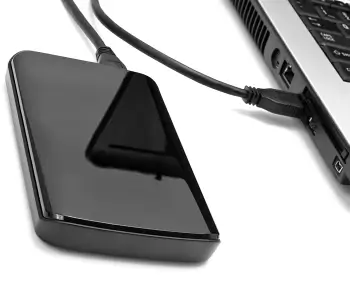
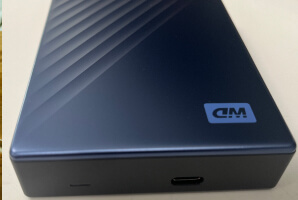
Local Backups: External drives, USB sticks, and network-attached storage (NAS) provide local, offline copies of data. Users duplicate their data on portable drives and disconnect them when not in use, which reduces exposure to cyber threats. External drives are an easy way to back up and transport many files. Rotating external drives and storing one at a different site even protects data against natural disasters or theft. NAS centralizes files from multiple computers and mobile devices in a single location. These storage systems support RAID levels that offer redundancy in case of failure.
Combining these methods is the most effective approach to backing up data. The 3-2-1 Rule recommends saving three copies of data on two separate devices and keeping one of them offsite.
Fortunately, users can even automate their backups.
Fortunately, users can even automate their backups. -Automated Backup Routines
Automating the backup process ensures that users can duplicate data without manual management.
Here are five steps for implementing an automated backup routine:
Step 1: Choose a backup solution. Select a backup method that aligns with individual needs, from cloud storage to external drives or a combination of both.
Step 2: Download backup software. Install software for the chosen backup solution. Most cloud services have their own application, but third-party options exist, even for local backups.
Step 3: Configure settings. Establish schedules and preferences within the backup software. Users can specify the relevant files or folders and set the frequency of backups.
Step 4: Monitor the backups. Confirm that automated backup mechanisms are working as intended. Verify that the software completes backups and review any error messages.
Step 5: Test the process. It is only possible to know if backed-up files are intact or recoverable by restoring data regularly.
Automated backup routines minimize the risk of data loss and do not require continuous management. Incorporating these practices into a broader plan can enhance data protection efforts.
Long-Term Strategies for Hard Drive Health
Having a long-term strategy for hard drive maintenance improves the performance and reliability of your disk. However, you cannot guarantee hard drive health. Accidents and unforeseen failures will still happen. In those moments, backups can spare you from sudden data loss.
Otherwise, Secure Data Recovery can help if backups are unavailable or do not work. Our engineers have the experience, expertise, and equipment to recover data from failed hard disk drives. Even in the most complex situations. Since 2007, we have resolved over 100,000 cases and returned billions of files to our customers. Trust the certified experts with a No Data, No Recovery Fee guarantee to reunite you with your priceless files.
Call us at 800-388-1266 to speak with a specialist and reclaim what matters most.

Timothy Burlee

Timothy Burlee is a content writer for Secure Data Recovery Services. He specializes in various topics in the data industry, including data recovery technology, storage devices, and digital forensics. Throughout his career, he has covered complex concepts and provided accessible solutions for users. Before joining Secure Data, he worked as a freelance technical writer.







.png)
